概要
Feedsモジュールを使って、URLからファイルを登録する方法です。以下が参考になりました。
Importing files
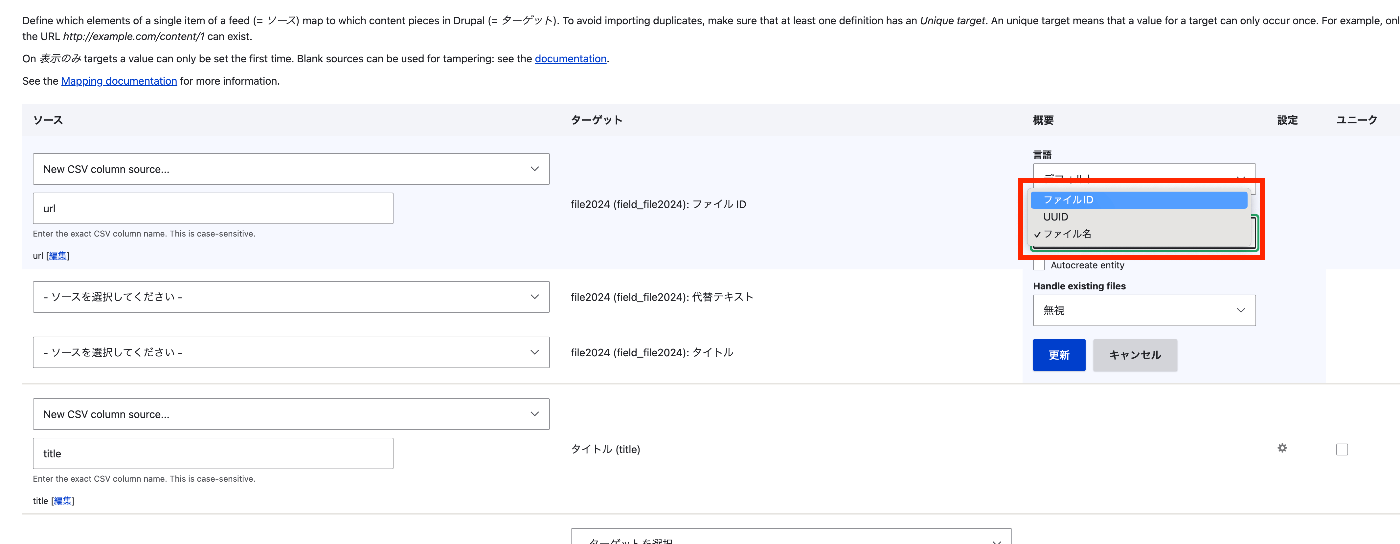
One commonly-used use for Feeds is importing mass data-rich content, which can include both files and images. Importing files from a URL To import files during a Feeds import, configure your feed mapping: Locate your file field to create a mapping target for your file or image field from the dropdown list. For the 'File ID', provide the mapping to the full URL (with http/https prefix). Select 'File ID' under 'Reference By'. Configure the action for Feeds to process existing files. Save your mapping after configuring these changes.
方法
- ドロップダウン リストからファイル フィールドを見つけて、ファイルまたは画像フィールドのマッピング ターゲットを作成します。
- 「ファイルID」には、完全な URL (http/https プレフィックスを含む) へのマッピングを指定します。
- 「Reference by」で「ファイルID」を選択します。
- フィードが既存のファイルを処理するようにアクションを構成します。
- これらの変更を構成した後、マッピングを保存します。
CSV
以下のようなCSVファイルを用意して登録します。
| title | url |
|---|---|
| オタクのイラスト | https://1.bp.blogspot.com/-EGQiXxfkfQA/U5gFr1g8qHI/AAAAAAAAhDM/17wwYnxWmHE/s800/otaku.png |
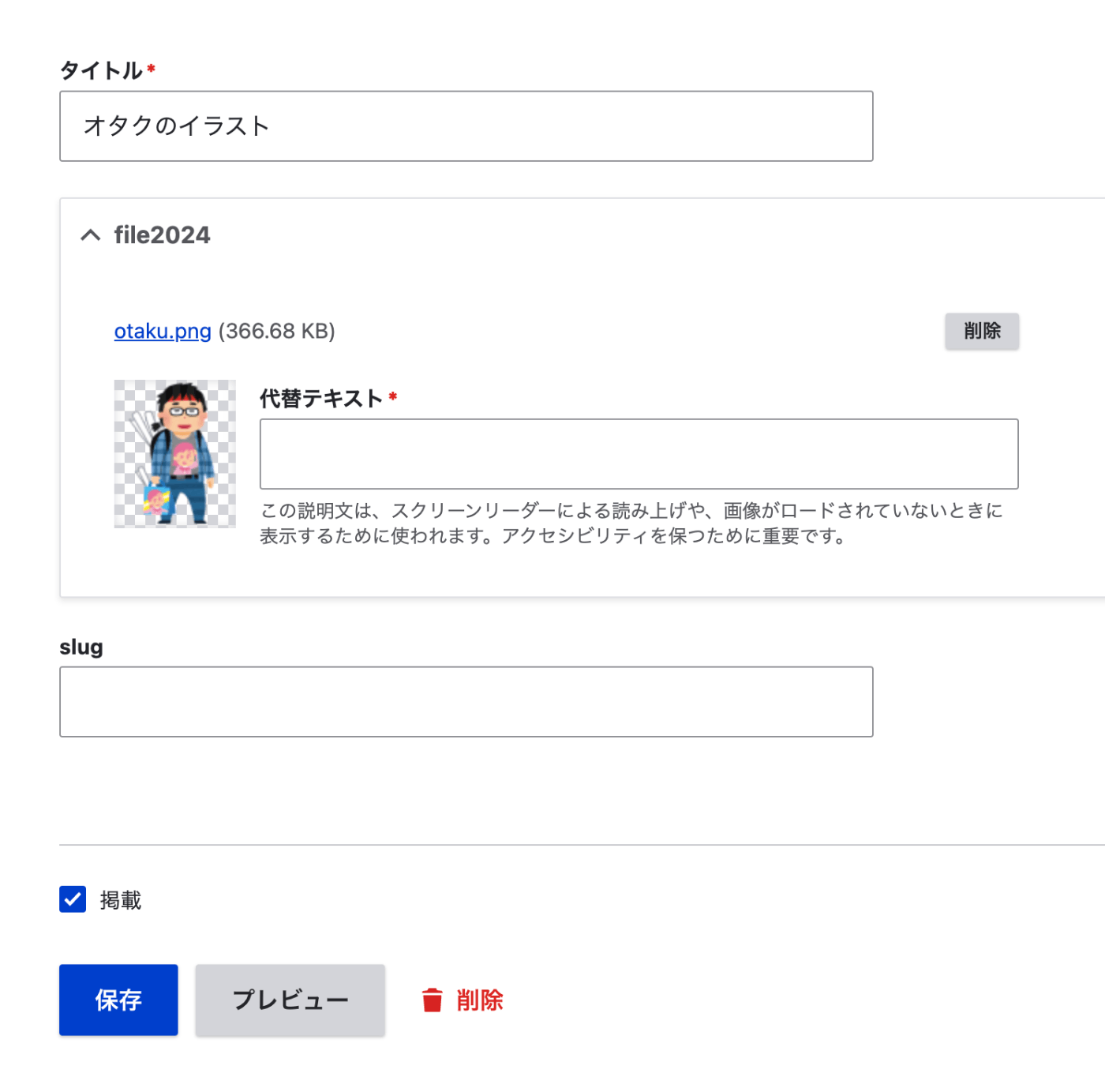
結果、以下のように登録されました。
まとめ
Feedsモジュールを用いたファイルの登録にあたり、参考になりましたら幸いです。

コメント
…