Overview
This describes how to register files from URLs using the Feeds module. The following was helpful.
Importing files
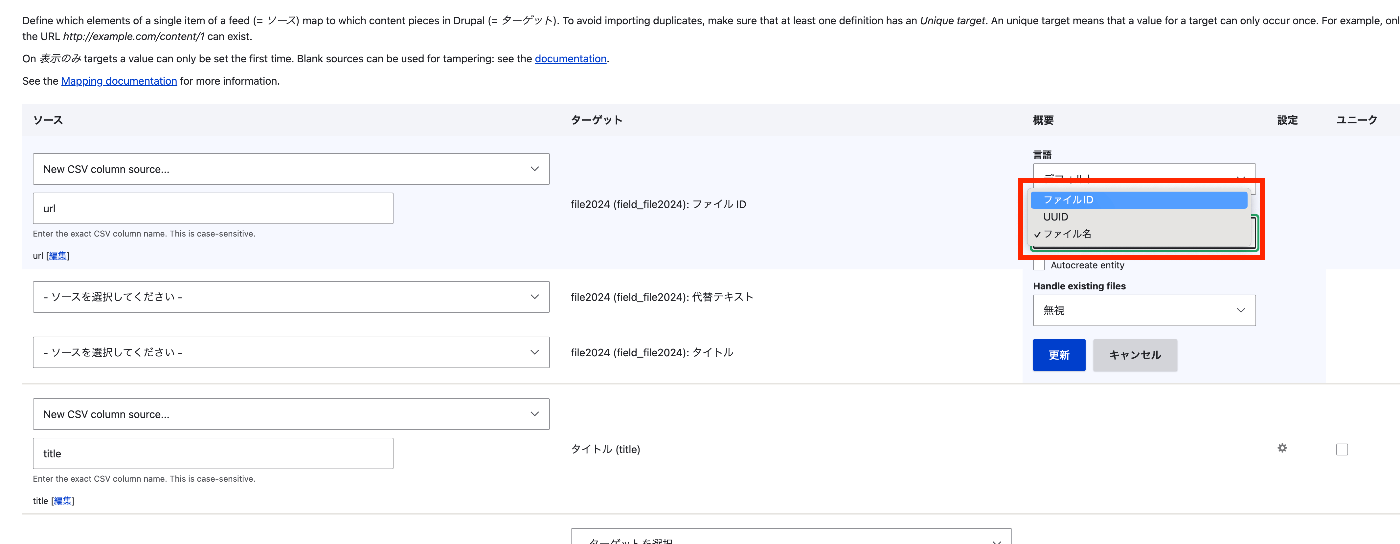
One commonly-used use for Feeds is importing mass data-rich content, which can include both files and images. Importing files from a URL To import files during a Feeds import, configure your feed mapping: Locate your file field to create a mapping target for your file or image field from the dropdown list. For the 'File ID', provide the mapping to the full URL (with http/https prefix). Select 'File ID' under 'Reference By'. Configure the action for Feeds to process existing files. Save your mapping after configuring these changes.
Method
- Find the file field from the dropdown list and create a mapping target for the file or image field.
- For "File ID," specify a mapping to the full URL (including the http/https prefix).
- Select "File ID" under "Reference by."
- Configure the action so that the feed processes existing files.
- After configuring these changes, save the mapping.
CSV
Prepare and register a CSV file like the following.
| title | url |
|---|---|
| Otaku Illustration | https://1.bp.blogspot.com/-EGQiXxfkfQA/U5gFr1g8qHI/AAAAAAAAhDM/17wwYnxWmHE/s800/otaku.png |
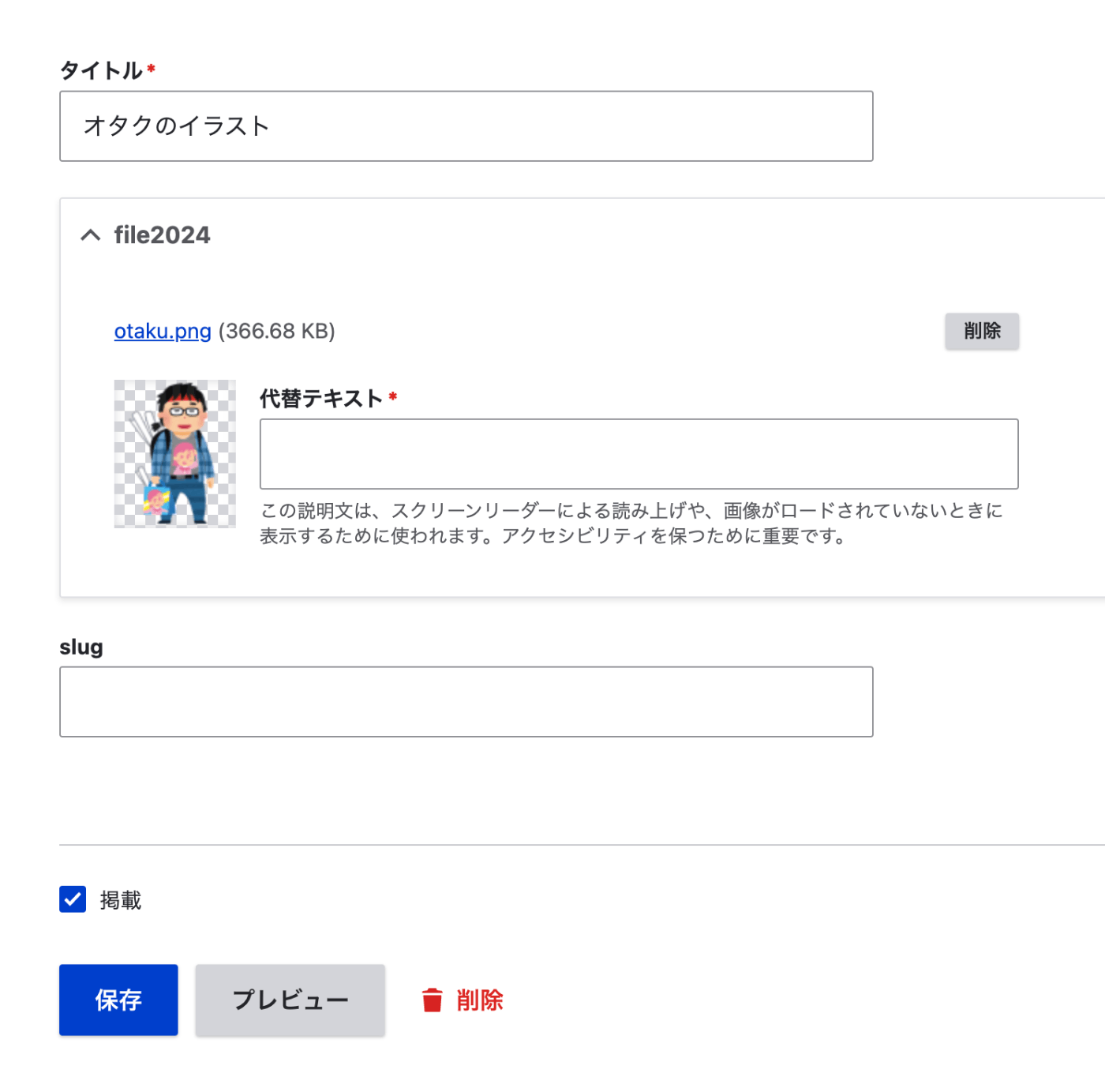
As a result, it was registered as follows.
Summary
We hope this is helpful when registering files using the Feeds module.

Comments
…