This article was co-authored with generative AI. Facts have been checked against public documentation where feasible, but errors may remain. Please verify primary sources before relying on this for important decisions.
I added a UI internationalization (i18n) layer to IMMARKUS, an image annotation tool for digital archives (open source software, or OSS, built on React + Vite + TypeScript), and implemented Japanese as the first non-English locale. The scope covered every page (start / annotate / images / knowledge graph / data model / export / settings / about / X-MARKUS) plus the shared components, ending up at 13 namespaces and 718 keys per language. The work was split across 7 Pull Requests (PRs) as it was merged.
I think it is quickest to just see the result on screen first. Here are the English and Japanese versions of the same start page.
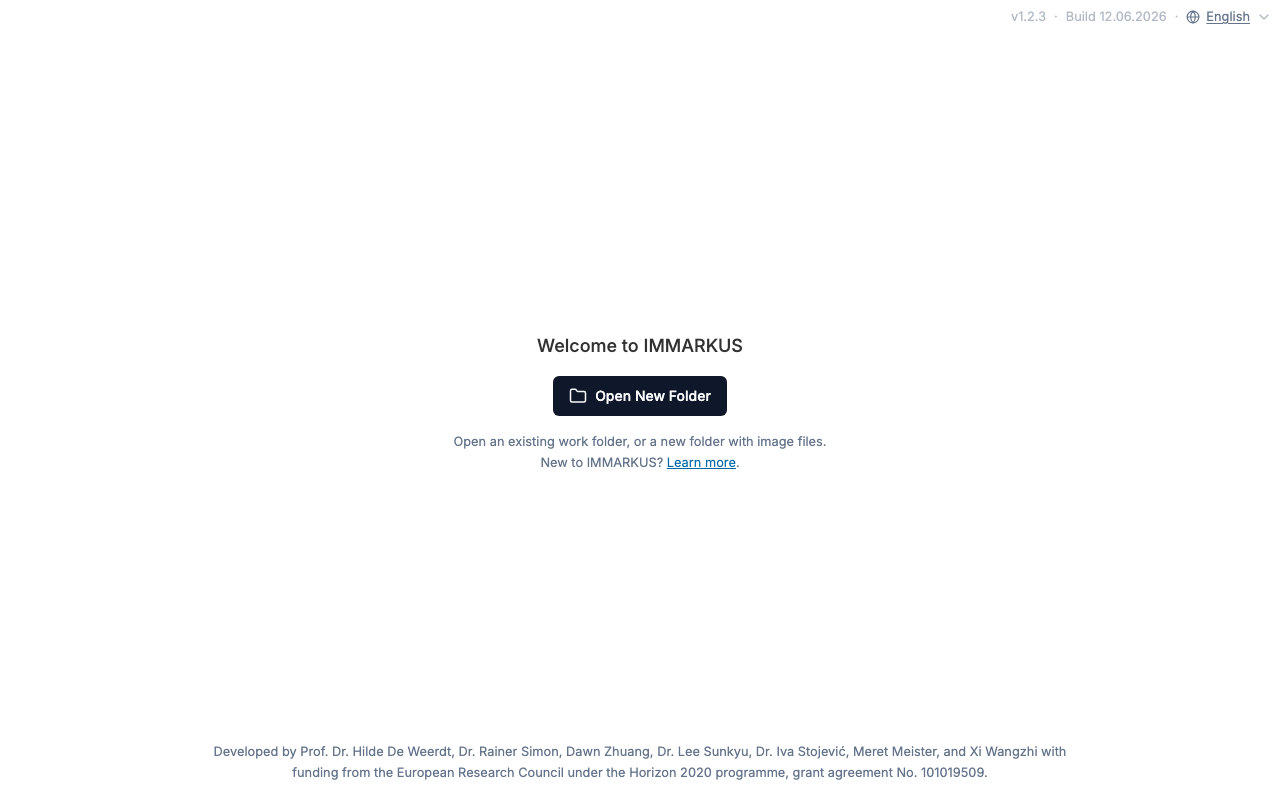 English display. There is a language switcher (English) in the top right
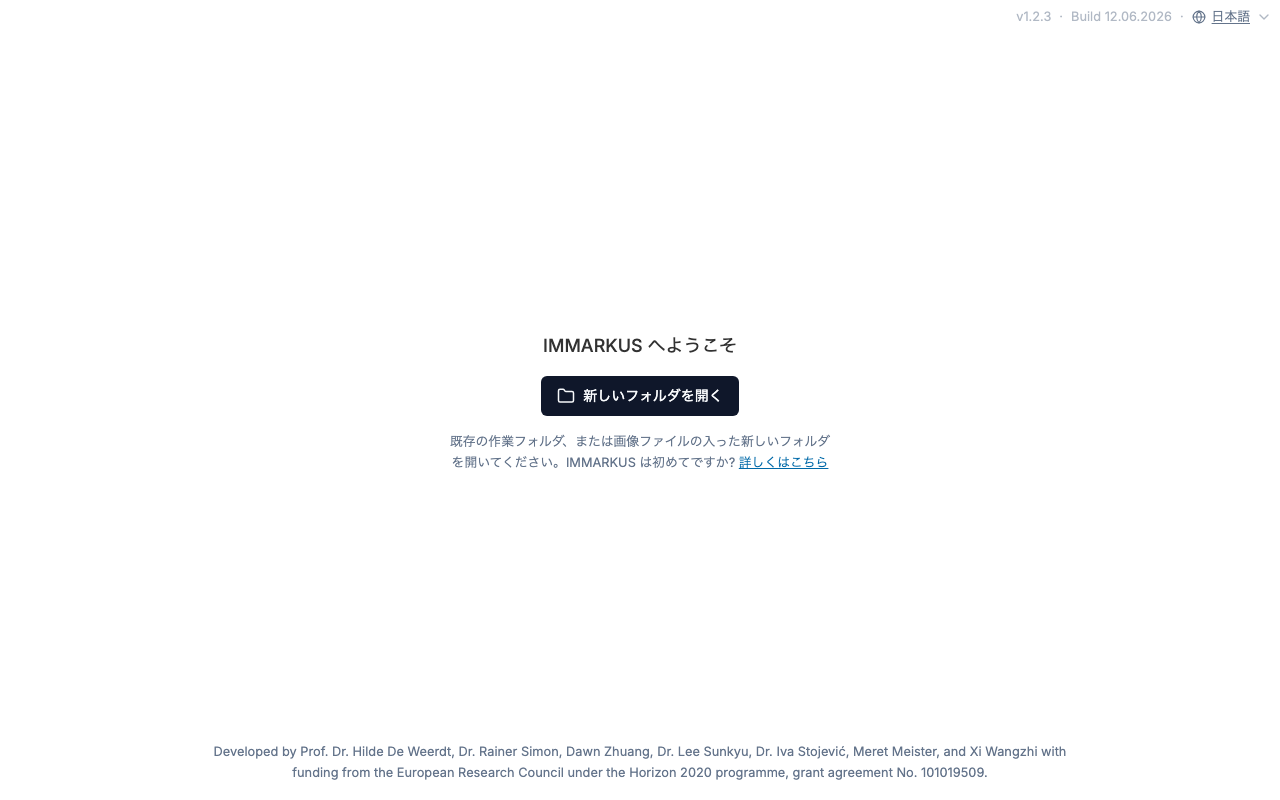 Switched to Japanese. Setting the switcher option to
 日本語 switches the entire UI
This article walks through, in order: framework choice and namespace design, extracting the strings, handling sentences with plurals and links, introducing vitest + Playwright into a repository with no tests, and the gotchas I hit when splitting the work into per-page PRs. It focuses on things likely to help when you are retrofitting i18n onto a mature OSS UI.
The target app and how I approached retrofitting i18n
IMMARKUS is a reasonably mature codebase, with UI strings hardcoded in English directly inside the JSX. On a new project you can write t('...') from the start, but retrofitting i18n is a different situation. There are hundreds of strings scattered across many files, at varying granularity — from short labels like Delete to full sentences containing links and icons. There was not even a natural place in the UI to put a language switcher.
Based on discussions with the maintainer (Rainer Simon) in an Issue (#305), I proceeded as follows.
- Framework: react-i18next (the maintainer also had experience with it; lingui was raised as an option too)
- The maintainer wanted to "start small on a separate branch first," so I began with a small scaffold-only PR to agree on the structure, then split the main work into multiple per-page PRs at my own discretion
- The switcher was tentatively placed on the start page (the working-folder selection screen), as the maintainer suggested
The "split by page" granularity was my own decision, not something the maintainer specified. It was a choice that prioritized ease of review.
Cut namespaces per page area
Locale resources are cut along two dimensions: language × namespace.
src/locales/
  en/
    common.json        # shared components
    annotate.json      # annotation screen
    images.json        # image list
    knowledgegraph.json
    ...
  ja/
    common.json
    annotate.json
    ...
The key point is aligning the namespaces with page areas (= the units of the PRs I would later split into). This lets each PR "add just this one namespace," which also makes review easier.
Components call t() with the namespace specified.
import { useTranslation } from 'react-i18next';

export const Open = () => {
  const { t } = useTranslation('start');
  return <h1>{t('open.welcome')}</h1>;
};
At bootstrap, each namespace is imported and registered in resources. This file later becomes a source of conflicts (see below).
// src/i18n/index.ts
import enStart from '../locales/en/start.json';
import jaStart from '../locales/ja/start.json';
// ... for all 13 namespaces

i18n.use(LanguageDetector).use(initReactI18next).init({
  resources: {
    en: { start: enStart, /* ... */ },
    ja: { start: jaStart, /* ... */ }
  },
  fallbackLng: 'en',
  interpolation: { escapeValue: false }, // already escaped by React
  detection: {
    order: ['localStorage', 'navigator'],
    caches: ['localStorage'],
    lookupLocalStorage: 'immarkus.language'
  }
});
Language detection goes localStorage → browser language → English fallback, in that order. The first visit respects the OS or browser language, and once the user switches, it is remembered in localStorage.
Navigation is also a translation target. The sidebar and each page's headings switch too.
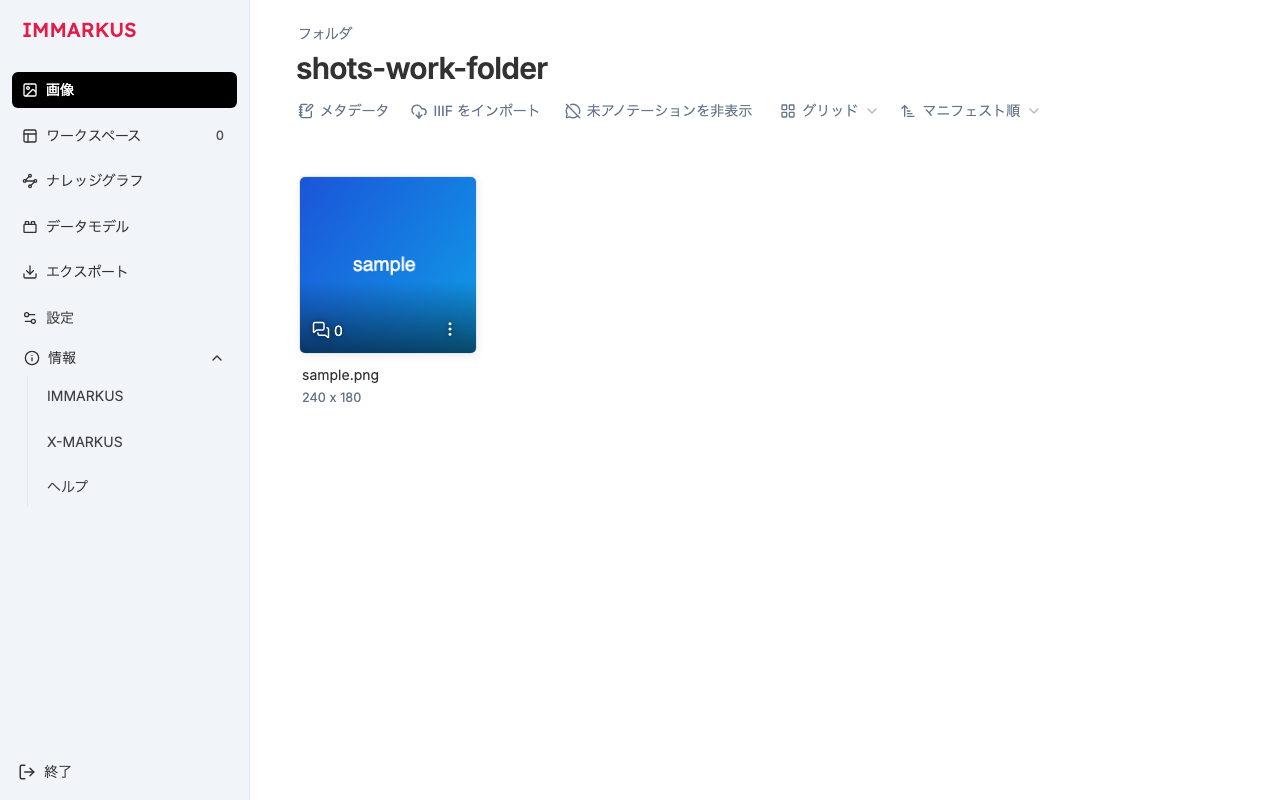 Image list. The sidebar (Images, Workspace, Knowledge Graph, Data Model, Export, Settings) and the header controls (Metadata, Import IIIF, Hide unannotated, Grid, Manifest order) are also translated
Extract strings per page
Grinding through hundreds of strings one at a time, in order, takes a long time and produces inconsistent wording. I divided the work by page area and aligned a set of shared conventions before extracting. The agreements I aligned on were roughly:
- Follow the established patterns (
useTranslation/<Trans>/ hierarchical keys / plurals) - Share a glossary to unify translated terms (annotation = アノテーション, entity class = エンティティクラス, relation = リレーション, knowledge graph = ナレッジグラフ, etc.)
- Make explicit what is not translated (
console.*,throw new Error(...), CSS classes, proper nouns, file-format names, bibliographic info and credits)
Missing translations and key inconsistencies after extraction were detected mechanically by the automated tests described below. Human inconsistencies get caught there in the end.
Things I was careful about in the translation implementation
Stop hand-written plural branching and let i18next handle it
The original code had branches hardcoded on English assumptions in places.
// Before (from src/pages/datamodel/.../EntityTypeActions.tsx)
`${children.length} child class${children.length > 1 ? 'es' : ''} will be moved ...`
This cannot be translated into Japanese, and the English pluralization rule is hardcoded. Replace it with i18next's plural feature.
// en (_one / _other)
{
  "confirmDeleteWithChildren_one": "This action will delete the entity class from the vocabulary. {{count}} child class will be moved to the root of your data model.",
  "confirmDeleteWithChildren_other": "This action will delete the entity class from the vocabulary. {{count}} child classes will be moved to the root of your data model."
}
// ja (Japanese has a single plural form, so only _other)
{
  "confirmDeleteWithChildren_other": "この操作により、エンティティクラスが語彙から削除されます。{{count}} 件の子クラスはデータモデルのルートに移動されます。"
}
// After
t('entityTypeActions.confirmDeleteWithChildren', { count: children.length })
The Japanese locale not having _one is not a bug — this is the correct behavior. Under the Unicode CLDR plural rules (which Intl.PluralRules and i18next reference), Japanese has only one plural category, other. The tests described below also explicitly allow "Japanese may omit _one."
Use <Trans> for sentences containing links or icons
When a link, <b>, or an icon appears in the middle of a sentence, splitting the string makes the translator lose context. With <Trans>, you keep the sentence as a single unit and inject components into placeholders.
<Trans
  ns="start"
  i18nKey="open.hint"
  components={{
    wikiLink: <a className="text-sky-700 underline" href="https://github.com/rsimon/immarkus/wiki" target="_blank" />
  }} />
{
  "open": {
    "hint": "既存の作業フォルダ、または画像ファイルの入った新しいフォルダを開いてください。IMMARKUS は初めてですか? <wikiLink>詳しくはこちら</wikiLink>"
  }
}
This approach holds up even on screens with longer sentences, like descriptions and legends.
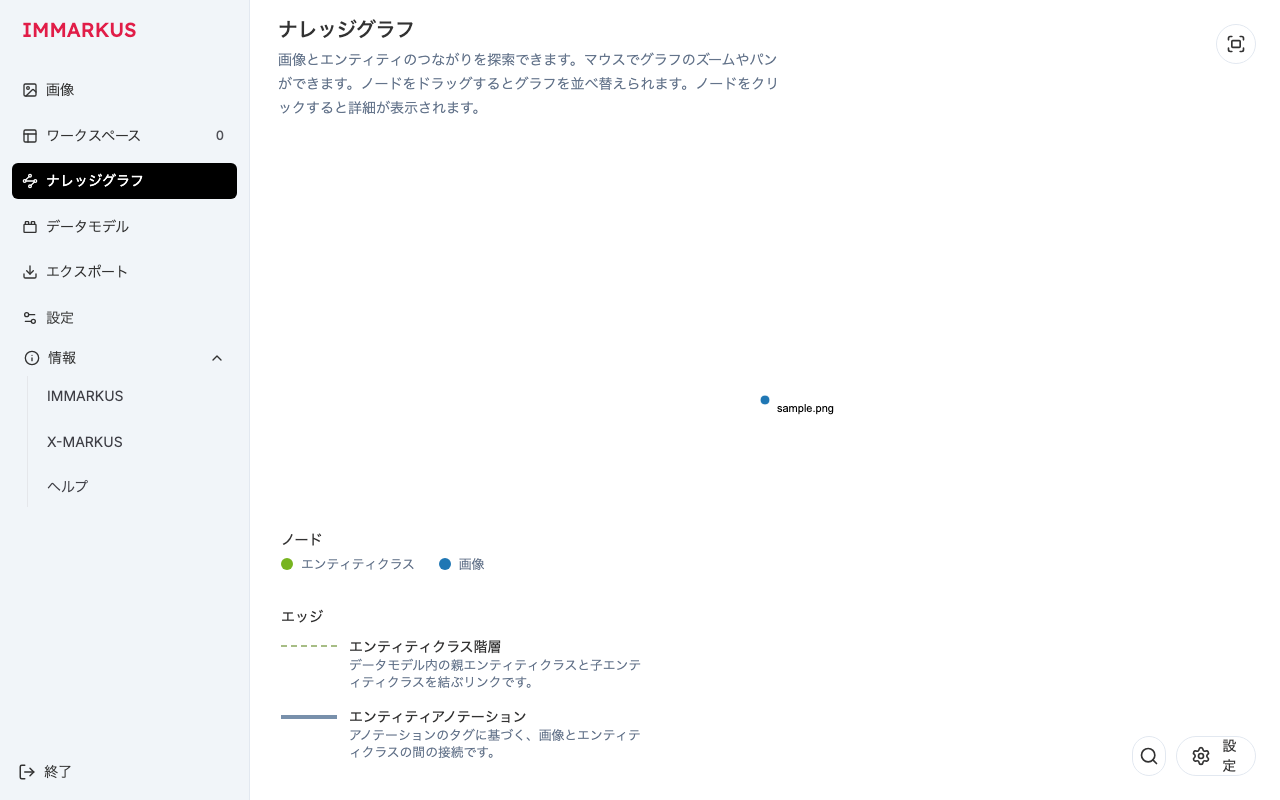 Knowledge graph. Body text and the legend (node/edge types and descriptions) are translated. The node labels on the graph (sample.png) are data values, so they are not translation targets
Make date-fns locales follow the UI language for dates
Date formatting like format(date, 'H:mm MMM dd') leaves the month name in English as-is. I added a thin helper that passes the date-fns locale according to the UI language (the actual code has type annotations, but the essence is as follows).
// src/i18n/dateLocale.ts
import { ja } from 'date-fns/locale';
import i18n from './index';

const DATE_LOCALES = { ja };
export const getDateLocale = () => DATE_LOCALES[i18n.language?.split('-')[0]];
format(lastEdit, 'H:mm MMM dd', { locale: getDateLocale() });
formatDistanceToNow(date, { addSuffix: true, locale: getDateLocale() });
Adding tests to a repository with no tests
As far as I could tell, this repository had not a single test (the package.json scripts were only start / build / preview). i18n is an area where missing translation keys silently fall back to English at runtime and are hard to notice by eye, so having tests pays off.
vitest: mechanically check locale key consistency
I introduced two lines of checks.
- Key consistency between en and ja: for every namespace, any key present in one is also present in the other (Japanese may omit the
_oneplural) - Code reference resolution: literal keys from
t('...')and<Trans i18nKey="...">in the source actually exist in the English resources
The second one quietly matters. It lets CI (continuous integration) stop regressions where you renamed or deleted a key but forgot to fix the call site.
When introducing it, to make sure the test itself actually detects things, I deliberately renamed one key and confirmed that all tests fail, and that reverting makes them pass.
Playwright: mock showDirectoryPicker with OPFS
The biggest obstacle to end-to-end (e2e) testing was that IMMARKUS does not let you into the inner screens unless you open a working folder via the File System Access API (window.showDirectoryPicker). The native folder-selection dialog cannot be automated.
So I wrote a helper that replaces showDirectoryPicker with a directory backed by OPFS (Origin Private File System, navigator.storage.getDirectory()), also writing in a sample image.
// e2e/helpers.ts (excerpt)
export const mockWorkFolder = (page: Page) =>
  page.addInitScript(async () => {
    (window as any).showDirectoryPicker = async () => {
      const root = await navigator.storage.getDirectory();
      const dir = await root.getDirectoryHandle('e2e-work-folder', { create: true });
      // write one sample.png here (idempotent)
      // ...
      (dir as any).requestPermission = async () => 'granted';
      return dir;
    };
  });
With this, the screens behind an opened folder can also be verified with Playwright. In each test, in addition to confirming that the expected translations render, I also verify that no raw keys (unresolved key strings like open.welcome) leak onto the screen and that no page errors occur.
Below is the annotation screen, one of the main e2e verification targets. Even the heavy screen for editing annotations can be opened automatically once you route through the OPFS mock.
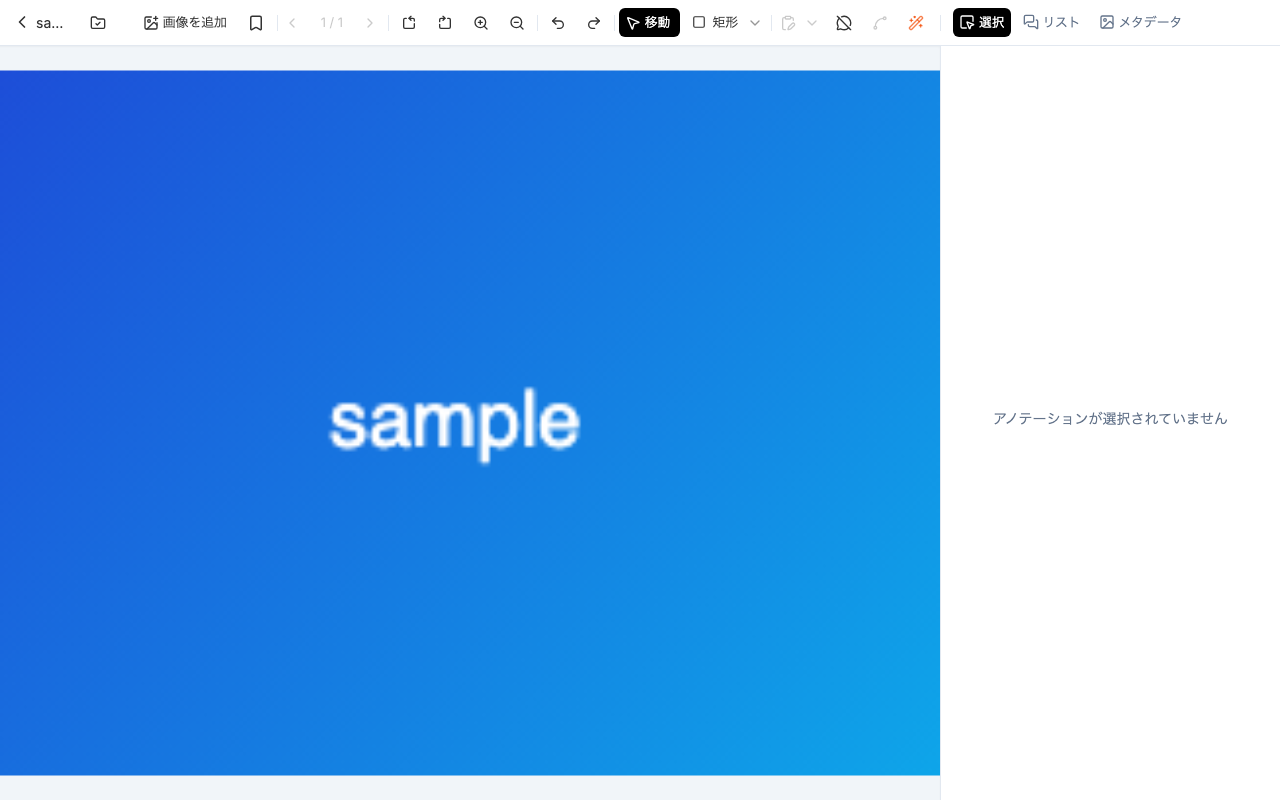 Annotation screen. The toolbar (Add image, Move, Rectangle, etc.) and the right sidebar (Selection, List, Metadata) are also translated
Note that raw-key detection is a naive mechanism that picks up dot-separated words, so it false-positives on real URLs like doi.org/... on the About page. I asserted after excluding the text inside <a> elements for these (rather than swallowing such legitimate exceptions, I handle them explicitly).
Ship the PRs per page
After the scaffold PR was merged, I shipped the main work as per-page PRs, in order. A single PR contains the translation of the target page, the corresponding namespace JSON, the registration of that namespace, and the per-page e2e.
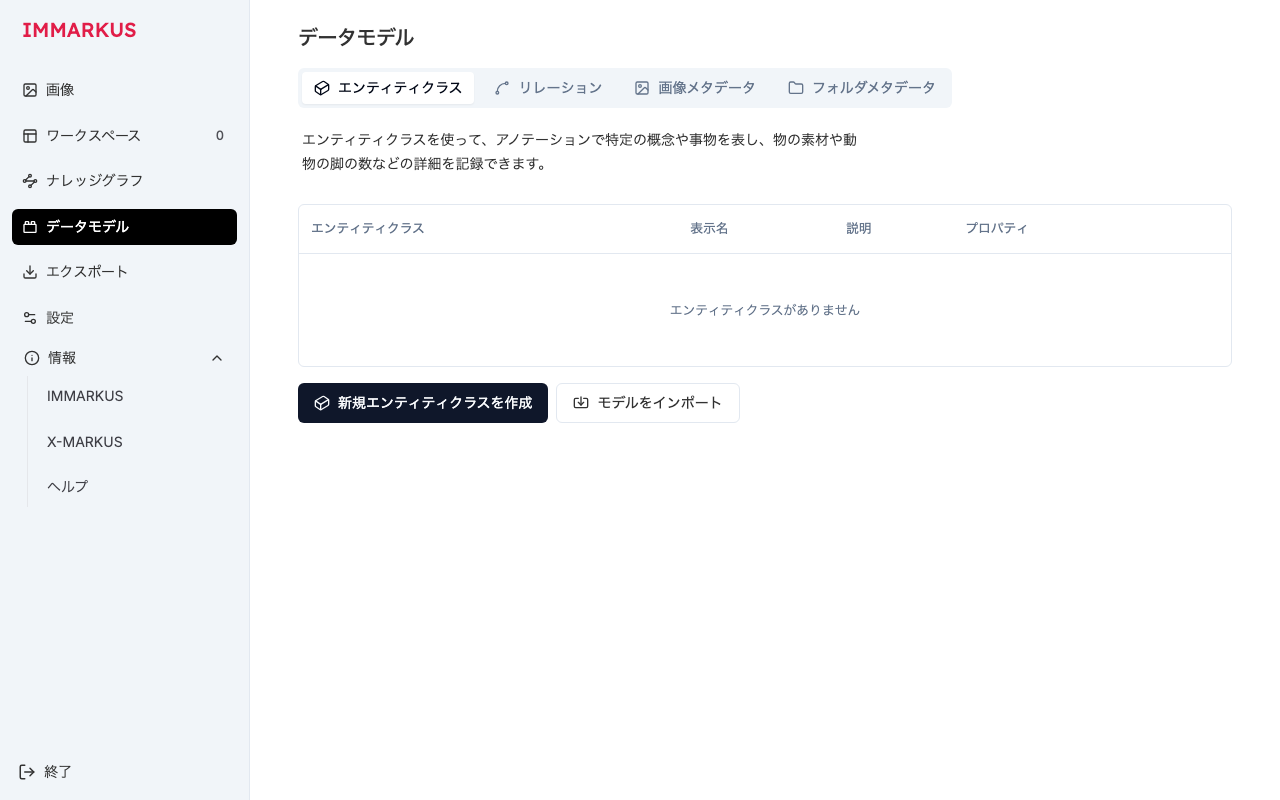 Data model page. Tabs, table headers, and empty-state messages are all translated
Because the maintainer merged quickly, the flow was: while one PR was being merged, prepare the next. In fact, five of the page PRs were merged in succession within about 30 minutes. The tempo itself was welcome, but it had a downside with respect to the conflicts described below.
Gotchas when submitting PRs in parallel after the fact
From here are a few caveats specific to submitting PRs in parallel against a mature OSS project.
1. Passing e2e does not mean you haven't broken upstream
While I was submitting PRs per page, the maintainer was reworking the Export and Settings areas in parallel. Specifically, the Export nav was replaced with the shared component NavTabItem, and Settings' General config had been split out into its own component (general/General.tsx).
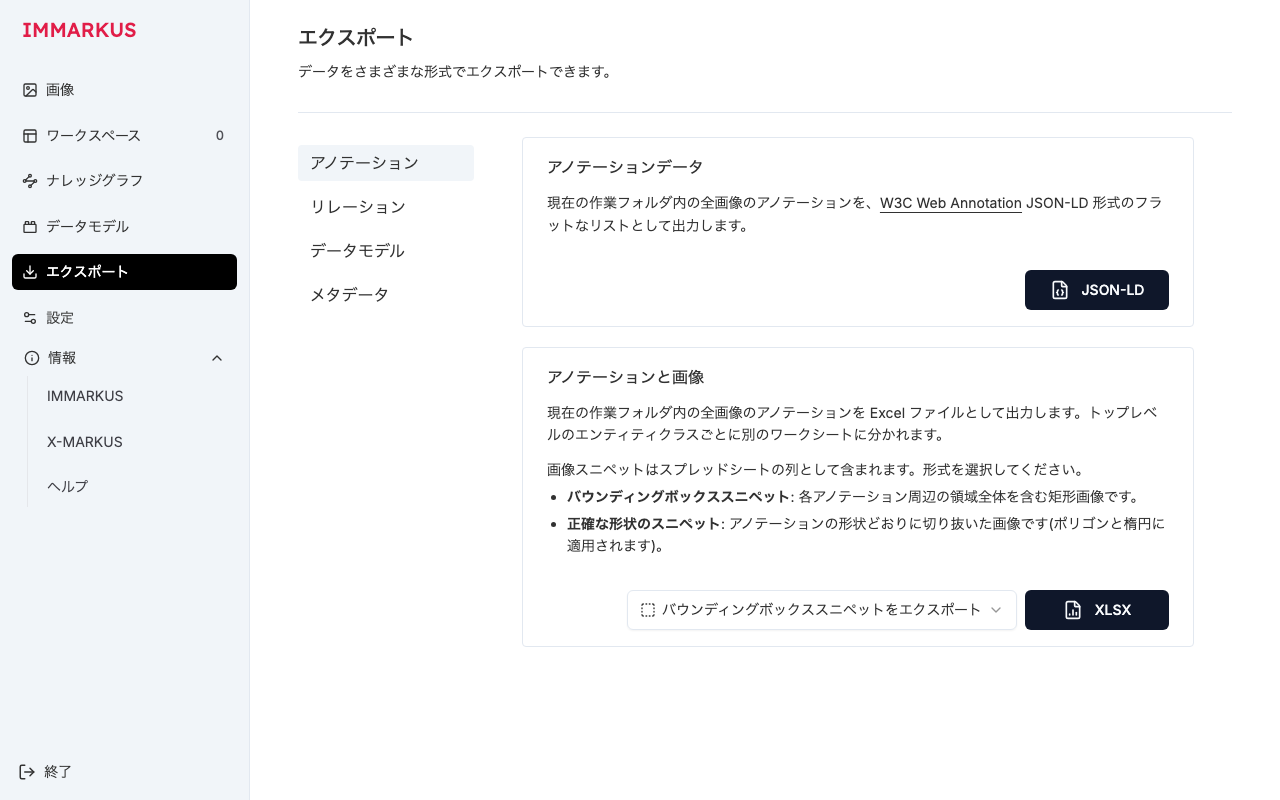 Export page. Because the nav had migrated to
 NavTabItem upstream while I was working, applying my old translation risked reverting the rework
The thing to watch here is that applying your locally-held, already-translated old file as-is would revert the maintainer's rework. What makes this tricky is that running e2e against the reverted version usually just passes normally. The tests verify "the old structure I reverted to," so even when they go green, you cannot tell whether you broke upstream.
As a countermeasure, I took a structural diff with git. Compare the base of my work against the current upstream, narrowed to the page's directory.
# Compare the pre-translation base (work start point) with the current upstream/main
git diff --stat <base> upstream/main -- src/pages/export
If the diff is non-empty, you can judge that "upstream got reworked = my translation may be stale." That said, this diff also reacts to trivial changes like whitespace or unrelated imports, so it is better treated as a "signal to consider redoing" rather than a strict clobber detector. This time I used it to catch the staleness of Export and Settings, and redid the translations against the current code.
2. When every PR touches a shared file, you conflict on every merge
The src/i18n/index.ts that registers namespaces gets edited by every PR opened in parallel. Each PR only adds its own import line and resources entry, but because all of them append to the same block from the same base, the moment one is merged, the rest conflict on this file.
Fortunately the conflict is only in index.ts (and some shared helpers), so resolution is the mechanical work of "writing the union of the namespaces in main and the namespaces of that PR." Every time, I built and ran the tests locally before force-pushing, keeping the conflicts out of the maintainer's sight. Still, since this chains on every merge, it is a quiet chore when there are many PRs.
To avoid the chaining at the root, instead of hand-writing the registration, you can bulk-load src/locales/<lang>/*.json with Vite's import.meta.glob. Adding { eager: true } bundles them statically at build time, so page PRs just drop in the JSON without touching index.ts, and stop conflicting. This time I went with manual maintenance partly because the maintainer had been hand-writing the explicit imports, but if you anticipate scale from the start, going with automatic loading is a reasonable move.
3. Avoid colliding with the maintainer's work
There was a discussion about "wanting the language switcher on the Settings page too," which the maintainer implemented themselves (placing the switcher on the Settings General tab). So in my settings-related PR I did not touch the switcher itself, translating only the surrounding labels.
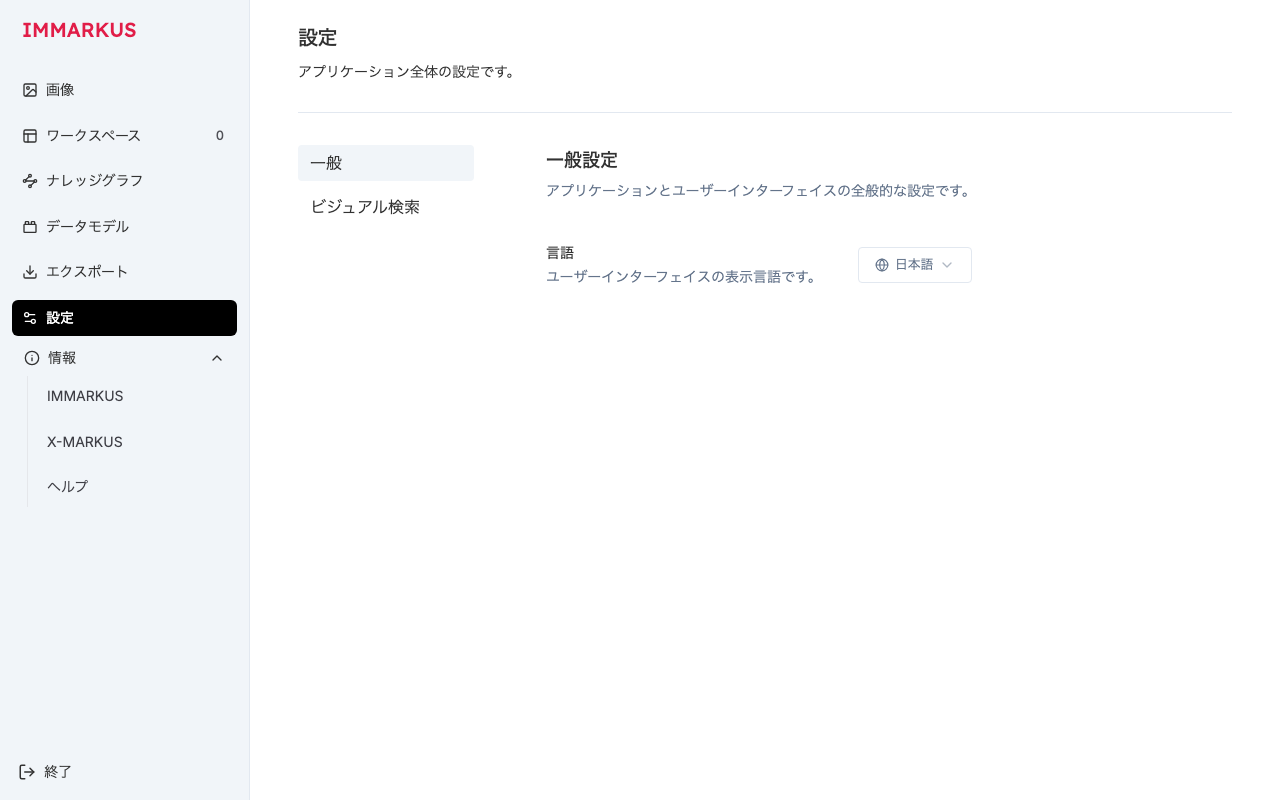 The General tab of the Settings page. The switcher itself is the maintainer's implementation; I translated only the surrounding labels like
 言語 (Language), the description, and 一般設定 (General Settings)
In OSS, the basic conflict-avoidance move is to cut your touched scope to the minimum, on the assumption that the other side is moving the same files. In each PR I brought in only the files of the target page, taking care not to overwrite the Start.tsx or LanguageSwitcher that the maintainer had changed with my old versions.
What I left out, and where I'd go next
There are parts I did not translate this time.
- Strings originating from the
src/servicesServiceRegistry (external service names, steps to obtain API keys, etc.) are left unaddressed, because they need a separate i18n design at the config data layer - The bibliographic info, credits, and ERC grant notices on About / X-MARKUS are left in the original, being proper nouns and citations; I translated only the surrounding explanatory text
Adding a language itself is just a matter of dropping in src/locales/<lang>/*.json and adding it to the switcher's options (i18next decides the plural rules per language).
What worked, looking back
Finally, let me organize what I felt worked well in retrofitting i18n.
- Aligning namespaces with "the unit of the PR you split into" makes extraction, review, and incremental rollout mesh well
- For plurals, sentences with links, and dates, drop the hand-written logic and lean on i18next,
<Trans>, and date-fns locales - Missing translations are hard to notice by eye, so introduce automated tests for key consistency and reference resolution early
- APIs that are hard to automate, like the File System Access API, can be brought onto e2e by mocking with OPFS
- For parallel PRs, don't rely on green e2e alone — check for upstream rework with git diffs, and either automate the registration in anticipation of shared-file conflicts, or rebase frequently
I think this applies broadly to the situation of retrofitting a cross-cutting change into an OSS project that has no tests, is somewhat mature, and has an actively working maintainer.


Comments
…