Overview
I prepared a demo page where you can try the Mirador 3 annotations plugin with an IIIF manifest specified via URL parameters.
By using the iiif-content or manifest parameter, you can target a specified IIIF manifest.
This article is a memo about creating this demo page.
Background
There is an annotation plugin for Mirador 3 called mirador-annotations.
 GitHub
I introduced usage examples in the following article.

A demo page is already available at the following link, but it does not provide the ability to specify an IIIF manifest file via URL parameters.
Fork and Modifications
To add the ability to specify an IIIF manifest file via URL parameters, I cloned the above repository.
GitHubThen, I made the following modifications.
GitHubIn particular, the following modifications were made.
...
var params = new URL(document.location).searchParams;
var manifest = params.get('iiif-content') || params.get('manifest') || 'https://iiif.harvardartmuseums.org/manifests/object/299843'
var windows = [];
if (manifest) {
  windows.push({ manifestId: manifest });
}
...
This was based on the following implementation. It appears to reference an IIIF manifest file using the iiif-content or manifest parameter.
 projectmirador.org
Vercel Deployment Settings
The built source code from the forked repository is deployed to Vercel.
For deployment, I made modifications like the following.
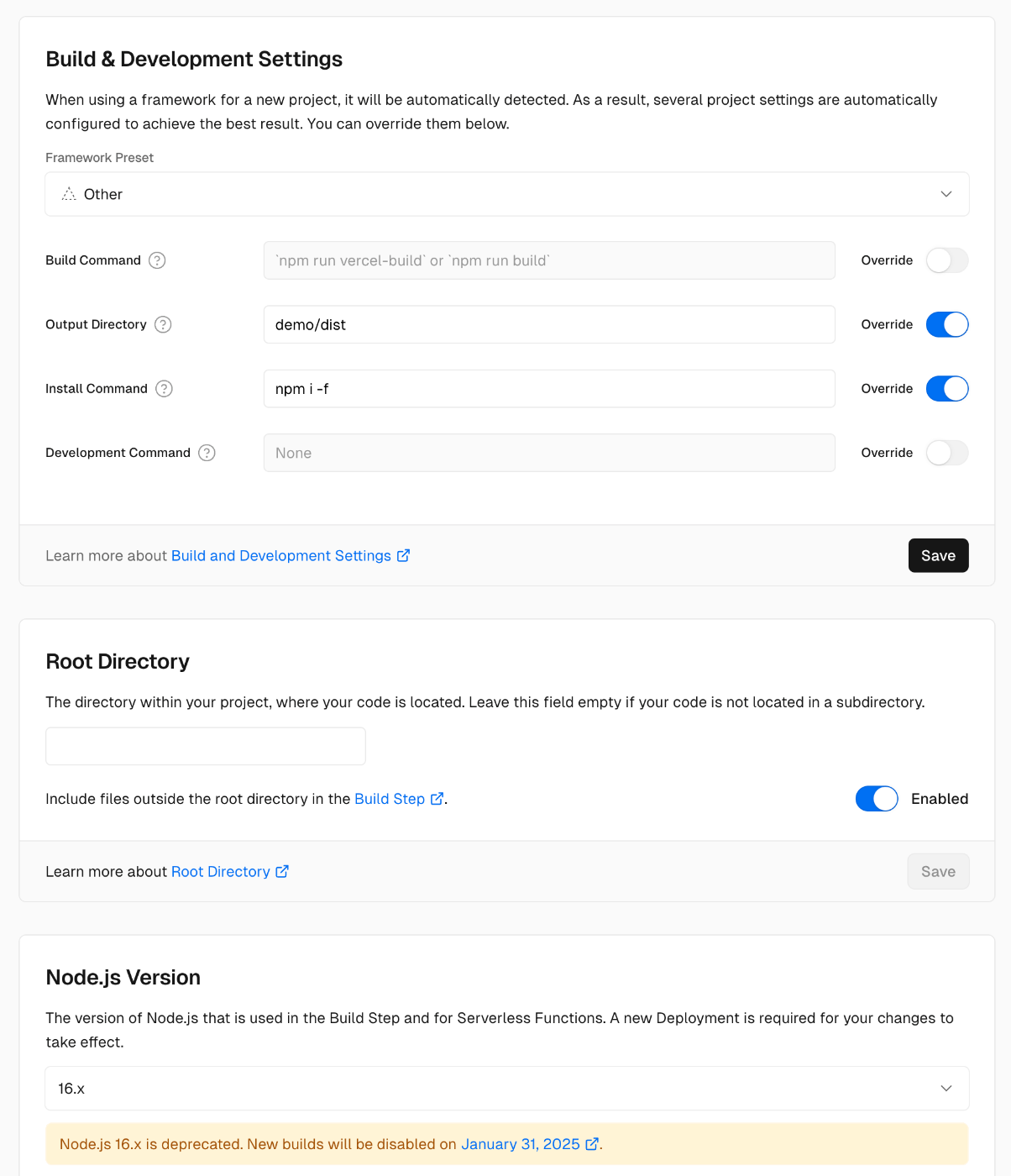
I changed the Output Directory, Install Command, and the Node.js version to 16.x.
Summary
I hope this is helpful when using Mirador 3.


Comments
…