This article was co-authored with generative AI. Facts have been checked against public documentation where feasible, but errors may remain. Please verify primary sources before relying on this for important decisions.
The goal of this article
In the previous article, I built the IIIF Curation Platform (ICP) of IIIF (International Image Interoperability Framework, an international standard for image interoperability) locally on macOS with Docker. There I confirmed it up to the point of saving and searching a single curation.
This article records, as a continuation, the procedure to "bulk-register multiple curations already published on the Web into your own ICP and make them cross-searchable." As material, I use the published curation set (50 items, about 3,400 faces) of NDL Image Bank Face Finder, which detects and collects faces from ukiyo-e and other works in the NDL (National Diet Library) Digital Collections.
As a prerequisite, assume ICP is running at http://icp.localhost:8888/cp from the previous procedure.
The finished image
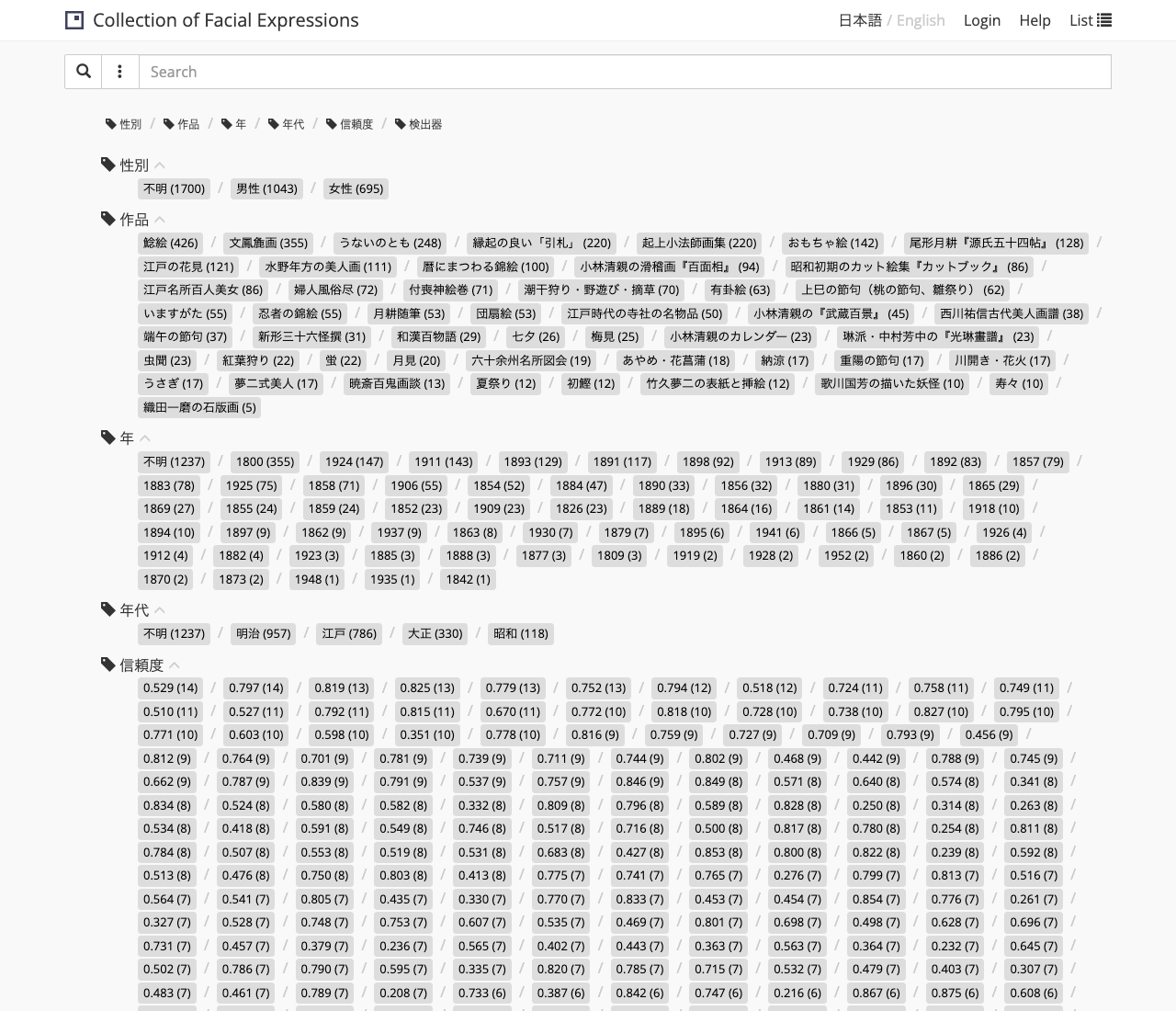
Once all 50 items are registered and indexed, 50 works line up in the Finder's "work" facet, and you can filter across all faces.
The overall flow
There are three stages before a curation shows up in search.
1. Get the list    curations/index.json (the list the publisher holds)
        ▼
2. Save            POST each curation JSON to JSONkeeper
        ▼
3. Index           have Canvas Indexer crawl it
        ▼
   Cross-search in the Finder
Procedure
1. Get the list of curations to register
NDL Image Bank Face Finder holds a list of its published curations as curations/index.json. The contents look like the following, with the path to each work's JSON file.
{
  "works": [
    { "slug": "namazue", "title": "鯰絵", "count": 426, "figures": 65, "manifests": 54, "file": "curations/works/namazue.json" },
    { "slug": "bunposoga", "title": "文鳳麁画", "count": 355, "figures": 27, "manifests": 1, "file": "curations/works/bunposoga.json" }
  ]
}
Following each file in turn gives you the URLs of all the curations. How the list is held differs by publisher, so adapt just this part to your target site.
2. Bulk-register into JSONkeeper
Fetch each curation JSON and save it to JSONkeeper via POST /cp/curation/api. Here, two headers matter.
X-Access-Token: <any string>: adding this saves it as an "owned" document, and it appears in the search target (the Activity Stream). Without it, it is still saved but does not become a search target.Accept: application/json: JSONkeeper's POST checks "whether there is an acceptable Accept," and without one it falls back to a redirect (302) to the info page (JSONkeeper's top/).curlsendsAccept: */*by default so it goes through, but omitting Accept in a program (like Python'surllib) sends you to the 302 (which, via the proxy, ultimately lands on a 404) and registration fails. This is a spot I actually got stuck on.
Here is a registration script written with only Python's standard library.
#!/usr/bin/env python3
"""Register all published curations into the local JSONkeeper.
Prerequisite: the ICP stack is running at http://icp.localhost:8888/cp."""
import json
import urllib.request

BASE = "http://icp.localhost:8888/cp"
SRC = "https://nakamura196.github.io/ndl-face-finder"
TOKEN = "ndl-face-finder"  # X-Access-Token (any string; the condition for owner = search-target)


def get(url):
    with urllib.request.urlopen(url, timeout=30) as r:
        return r.read()


def main():
    works = json.loads(get(f"{SRC}/curations/index.json"))["works"]
    print(f"== {len(works)} curations found ==")
    ok = ng = 0
    for i, w in enumerate(works, 1):
        name = w["file"].split("/")[-1]
        try:
            body = get(f"{SRC}/{w['file']}")
            req = urllib.request.Request(
                f"{BASE}/curation/api", data=body, method="POST",
                headers={"Content-Type": "application/ld+json",
                         "Accept": "application/json",       # ← without this you get sent to a 302
                         "X-Access-Token": TOKEN})            # ← without this it does not become a search target
            with urllib.request.urlopen(req, timeout=60) as r:
                code = r.status
            if code == 201:
                ok += 1
                print(f"  [{i:2d}/{len(works)}] 201 {name}  ({w.get('title','')}, {w.get('count','?')} faces)")
            else:
                ng += 1
                print(f"  [{i:2d}/{len(works)}] {code} {name} (NG)")
        except Exception as e:
            ng += 1
            print(f"  [{i:2d}/{len(works)}] ERR {name}: {e}")
    print(f"== POST done: ok={ok} ng={ng} ==")


if __name__ == "__main__":
    main()
Running it, all 50 items registered with 201 (created).
== 50 curations found ==
  [ 1/50] 201 namazue.json  (鯰絵, 426 faces)
  [ 2/50] 201 bunposoga.json  (文鳳麁画, 355 faces)
  ...
  [50/50] 201 odakazumasekihanga.json  (織田一磨の石版画, 5 faces)
== POST done: ok=50 ng=0 ==
You can also confirm the Activity Stream count.
curl -s http://icp.localhost:8888/cp/curation/as/collection.json \
  | python3 -c "import sys,json;print(json.load(sys.stdin).get('totalItems'))"
# => 50
3. Have Canvas Indexer crawl it
Merely saving does not make it appear in the Finder. Have Canvas Indexer traverse the Activity Stream and build an index.
Here, two timeouts specific to bulk registration came up. Crawling 50 items (about 3,400 faces) took about 5 minutes 40 seconds on my machine.
- The reverse proxy (nginx) 60 seconds: hitting
/cp/index/crawlvia the proxy gives a504 Gateway Time-out. You can avoid it by throwing the crawl directly at Canvas Indexer without going through the proxy (with the previousstart_port=9001, Canvas Indexer is on host9002). - gunicorn's worker timeout: exceeding the
timeoutinCanvas-Indexer/gunicorn_config.py(180 seconds by default) kills the worker and stops partway (38/50 this time). Extend it to be longer.
# Extend the gunicorn timeout
sed -i '' 's/^timeout = .*/timeout = 600/' Canvas-Indexer/gunicorn_config.py   # BSD sed on macOS
docker compose restart canvasindexer   # reload the gunicorn config (restart keeps the container IP)

# Have Canvas Indexer crawl directly, without the proxy (longer timeout)
curl -s --max-time 700 http://localhost:9002/crawl
# => {"message": "done"}
gunicorn_config.pyis volume-mounted into the container, so rewriting the value and runningdocker compose restart canvasindexerapplies it. The crawl writes incrementally to the SQLite on the volume, so even if it stops partway, running it again resumes from where it left off.
Confirm the index was built.
# count per curation
curl -s http://localhost:9002/api | python3 -c "import sys,json;print(json.load(sys.stdin)['total'])"
# => 50

# total count per canvas (face)
curl -s 'http://localhost:9002/api?select=canvas&from=canvas,curation' \
  | python3 -c "import sys,json;print(json.load(sys.stdin)['total'])"
# => 3428
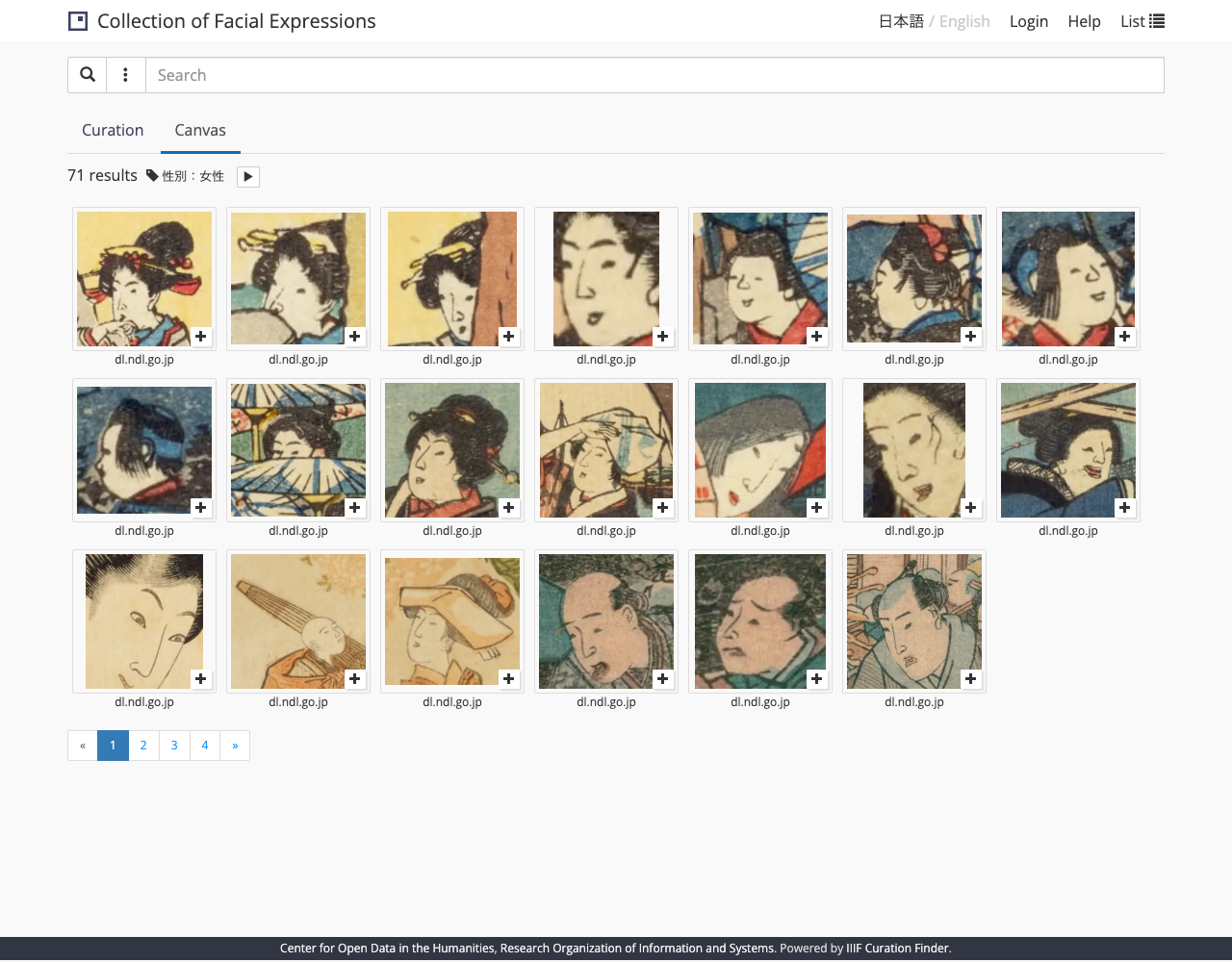
Opening http://icp.localhost:8888/cp/finder/, all 50 works line up in the facets, and, for example, "Gender: Female" produces a list of faces across all works.
Summary of stumbling points
Here are the points I got caught on with bulk registration.
- The
Acceptheader: a POST to JSONkeeper falls to a 302 (info page) unless the Accept requirement is met.curlpasses by default, but clients that don't send Accept, likeurllib, need it explicitly. - The
X-Access-Tokenheader: without it the document is saved but does not appear in the Activity Stream and does not become a search target. - Two kinds of crawl timeout: with large volumes you hit nginx (60 seconds → 504) and gunicorn (worker timeout). Avoid them by going directly to Canvas Indexer and extending
timeoutingunicorn_config.py. - Stale proxy upstream: nginx resolves static hostnames like
jsonkeeperonly once, at config-load time, and caches them (whenresolveris unset). Recreating containers withdocker compose down && upcan change the IP, in which case nginx keeps holding the old IP and returns things like405(docker compose restartrestarts the same container, so the IP is preserved and this problem does not occur). If you recreate containers, the reliable move is to recreate/restart the proxy too.
Conclusion
A set of already-published curations can be pulled into your own ICP in bulk, in three stages: list → save (POST) → index (crawl). The key points were the two save headers (X-Access-Token and Accept) and avoiding crawl timeouts. With this, you can reproduce the whole flow locally, right up to cross-searching curations made by region selection.
- The previous build article: https://zenn.dev/nakamura196/articles/iiif-curation-platform-docker-macos
- The published curations used as material: https://nakamura196.github.io/ndl-face-finder/
- IIIF Curation Platform (CODH): http://codh.rois.ac.jp/iiif-curation-platform/


Comments
…