Introduction
TEI (Text Encoding Initiative) is a widely used standard for digitizing humanities texts. This article introduces a case study of using the Processing Model feature introduced in TEI P5 to achieve conversion from TEI XML to multiple formats (HTML, LaTeX/PDF, EPUB3).
The target project uses texts published in the "Koui Genji Monogatari" (Collated Tale of Genji) as an example.

Background
Previously, conversion processes were performed individually, as introduced in the following articles.
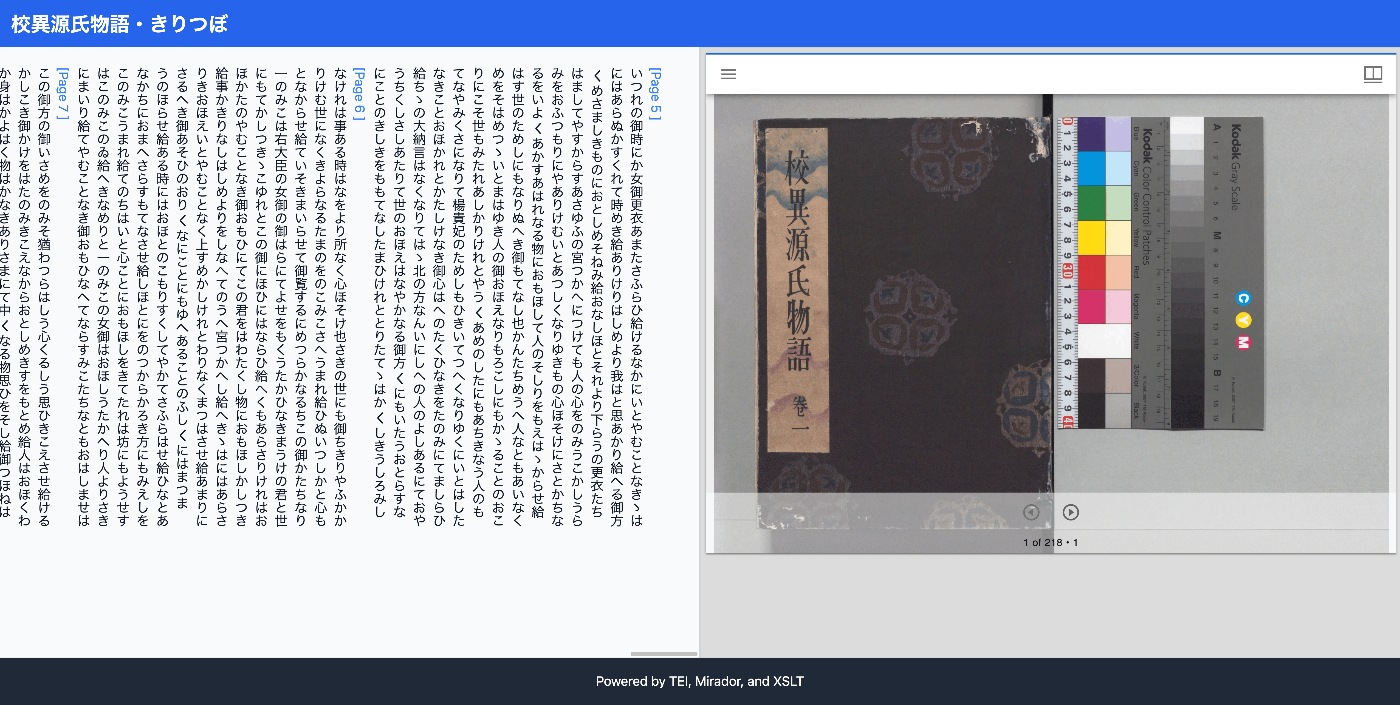
Customization of ODD/RNG files to limit the tags used
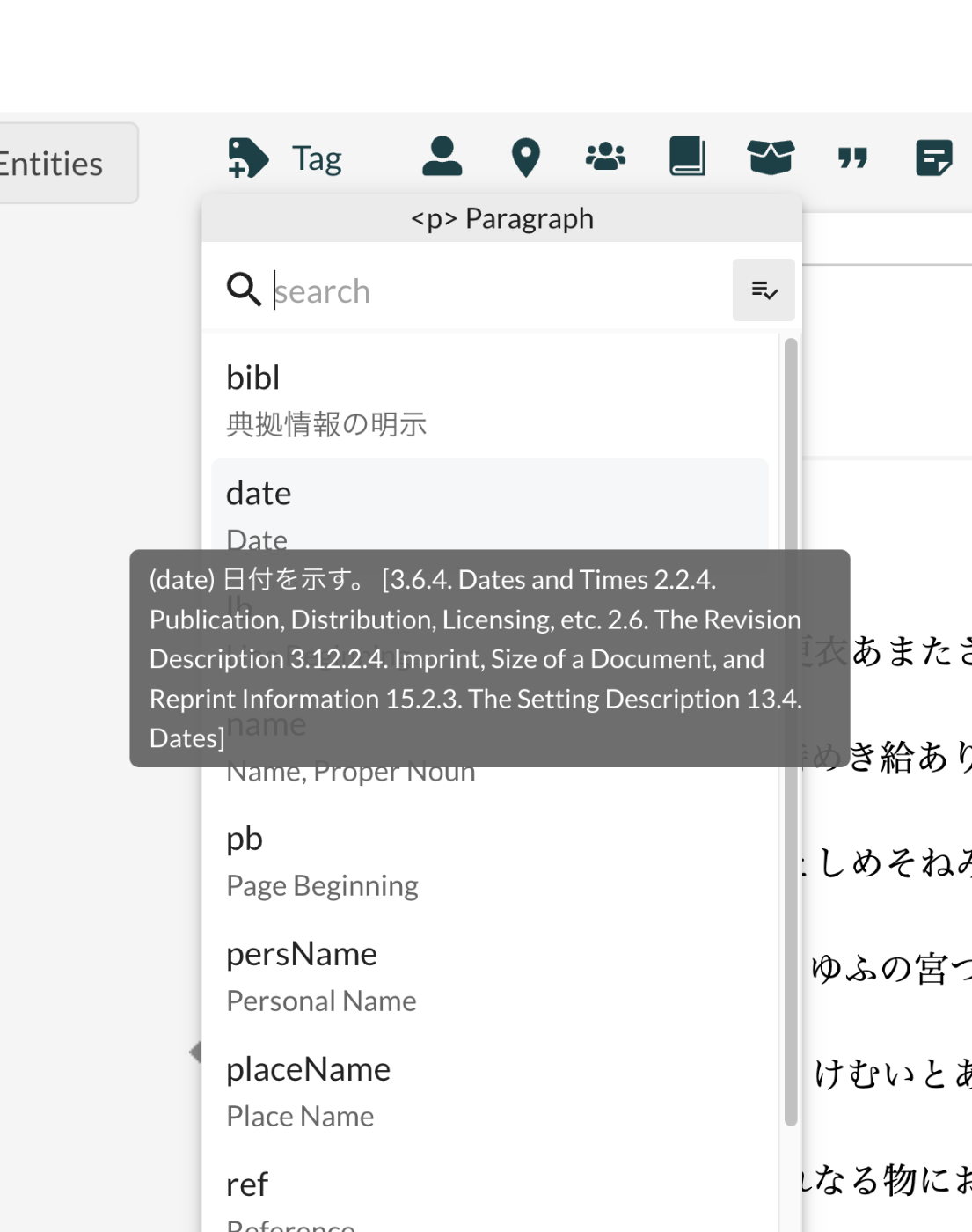
Conversion to HTML using XSLT
Conversion to TeX/PDF using XSLT

Conversion to EPUB

In each of these efforts, separate files describing individual conversion rules needed to be created, and this complexity was a challenge.
What is Processing Model?
Processing Model is a mechanism for declaratively describing conversion rules for TEI elements. Previously, individual XSLT had to be written for each output format, but with Processing Model:
- Conversion rules can be defined within the ODD file
- Multiple output formats can be supported (web, latex, epub, etc.)
- Schema and conversion rules can be centrally managed
Structure of Processing Model
<elementSpec ident="persName" mode="change">
  <desc>Personal name</desc>
  <model>
    <!-- HTML output -->
    <modelSequence output="web">
      <model behaviour="inline">
        <outputRendition>span</outputRendition>
        <desc>Inline span for person name</desc>
      </model>
    </modelSequence>

    <!-- EPUB3 output -->
    <modelSequence output="epub">
      <model behaviour="inline">
        <outputRendition>span</outputRendition>
        <desc>Inline span for person name in EPUB3</desc>
      </model>
    </modelSequence>

    <!-- LaTeX output -->
    <modelSequence output="latex">
      <model behaviour="inline">
        <outputRendition>\person</outputRendition>
        <desc>Custom LaTeX command for person names</desc>
      </model>
    </modelSequence>
  </model>
</elementSpec>
Key elements:
elementSpec/@ident: Target TEI element namemodelSequence/@output: Output mode (web, latex, epub, etc.)model/@behaviour: Conversion behavior (inline, block, paragraph, break, omit, etc.)outputRendition: Output element name or command
Implementation Architecture
This project adopted a two-layer architecture based on the principle of Separation of Concerns:
1. Processing Model Layer (Auto-generated)
Basic element conversion rules are auto-generated from the Processing Model definitions in the ODD file:
odd_with_pm.odd (Processing Model definitions)
  -> (odd_to_xslt.py --output-mode web)
tei_elements_html.xsl (Basic HTML conversion)
  -> (odd_to_xslt.py --output-mode latex)
tei_elements_latex.xsl (Basic LaTeX conversion)
  -> (odd_to_xslt.py --output-mode epub)
tei_elements_epub.xsl (Basic EPUB3 conversion)
2. Wrapper Layer (Manually Created)
Implements format-specific functionality:
-
HTML Wrapper (
html_wrapper.xsl)- Integration of Mirador IIIF viewer
- JavaScript (page navigation, highlighting)
- Tailwind CSS styling
- Vertical text display
- Metadata modal
-
LaTeX Wrapper (
tex_wrapper.xsl)- ltjtarticle document class
- LuaLaTeX Japanese support
- Custom geometry
- Color command definitions
-
EPUB3 Generation Tool (
tei_to_epub.py)- EPUB structure file generation (container.xml, content.opf, nav.xhtml)
- Vertical text CSS
- ZIP packaging
Implementation Steps
Step 1: Add Processing Model Definitions to ODD
<!-- Example for seg element -->
<elementSpec ident="seg" mode="change">
  <desc>Text segment with optional correspondence link</desc>
  <model>
    <modelSequence output="web">
      <model behaviour="inline">
        <desc>Inline span with data attributes for JavaScript processing</desc>
      </model>
    </modelSequence>
    <modelSequence output="epub">
      <model behaviour="inline">
        <desc>Inline span for EPUB3</desc>
      </model>
    </modelSequence>
    <modelSequence output="latex">
      <model behaviour="paragraph">
        <desc>Paragraph with medium skip</desc>
      </model>
    </modelSequence>
  </model>
</elementSpec>
In the Koui Genji Monogatari project, Processing Models were defined for the following elements:
seg: Text segment (inline in HTML, paragraph in LaTeX)lb: Line break (<br/>in HTML, omitted in LaTeX)pb: Page break (inline marker in HTML, omitted in LaTeX)persName: Person name (<span>in HTML,\person{}command in LaTeX)placeName: Place name (<span>in HTML,\place{}command in LaTeX)body,div,p: Structural elements
Step 2: Create the XSLT Generation Tool
Developed a Python tool odd_to_xslt.py to auto-generate XSLT from Processing Model:
class XSLTGeneratorBase(ABC):
    """Base class for XSLT generation"""

    @abstractmethod
    def generate_header(self) -> List[str]:
        """Generate XSLT header"""
        pass

    @abstractmethod
    def _generate_inline(self, element, rendition, params):
        """Process inline behaviour"""
        pass

    # Other behaviour processing...

class HTMLGenerator(XSLTGeneratorBase):
    """XSLT generation for HTML"""
    # HTML-specific implementation

class LaTeXGenerator(XSLTGeneratorBase):
    """XSLT generation for LaTeX"""
    # LaTeX-specific implementation

class EPUBGenerator(HTMLGenerator):
    """XSLT generation for EPUB3 (mostly same as HTML)"""
    # XHTML5-compliant implementation
Usage:
# For HTML
python3 odd_to_xslt.py --output-mode web odd_with_pm.odd tei_elements_html.xsl

# For LaTeX
python3 odd_to_xslt.py --output-mode latex odd_with_pm.odd tei_elements_latex.xsl

# For EPUB3
python3 odd_to_xslt.py --output-mode epub odd_with_pm.odd tei_elements_epub.xsl
Step 3: Create Wrapper XSLT
Import the generated XSLT and add format-specific functionality:
<!-- html_wrapper.xsl -->
<xsl:stylesheet version="2.0" ...>
  <!-- Import Processing Model generated XSLT -->
  <xsl:import href="tei_elements_html.xsl"/>

  <!-- Override root template -->
  <xsl:template match="/">
    <xsl:apply-templates select="tei:TEI"/>
  </xsl:template>

  <!-- Custom HTML document structure -->
  <xsl:template match="tei:TEI">
    <html>
      <head>
        <!-- Mirador, Tailwind CSS, custom styles -->
      </head>
      <body>
        <!-- Header, metadata modal, main content, Mirador viewer -->
        <script>
          // JavaScript for navigation, highlighting, etc.
        </script>
      </body>
    </html>
  </xsl:template>

  <!-- Override specific elements (as needed) -->
  <xsl:template match="tei:pb">
    <!-- Link to IIIF Canvas ID -->
  </xsl:template>
</xsl:stylesheet>
Step 4: Execute Conversion
Conversion to each format:
# HTML generation
saxon -xsl:html_wrapper.xsl -s:01.xml -o:01.html

# LaTeX/PDF generation
saxon -xsl:tex_wrapper.xsl -s:01.xml -o:01.tex
lualatex -interaction=nonstopmode 01.tex

# EPUB3 generation
python3 tei_to_epub.py --xsl=tei_elements_epub.xsl 01.xml 01.epub
Output Results
Three formats were generated from a single TEI XML file (01.xml):
| Format | File Size | Features |
|---|---|---|
| HTML | 115KB | Mirador IIIF viewer integration, vertical text, interactive navigation |
| 201KB (8 pages) | LuaLaTeX Japanese typesetting, landscape layout, color display | |
| EPUB3 | 14KB | Vertical text e-book, XHTML5 compliant |
HTML


EPUB3

Benefits of the Implementation
1. Improved Maintainability
- Easy to modify Processing Model: Just edit the ODD and regenerate the XSLT
- Separation of element conversion and presentation: Basic conversion and interactive features are independent
- Centralized management: Schema and conversion rules are consolidated in the ODD
2. Reusability
- Reuse of basic conversion XSLT: Can be used in other projects
- Wrapper customization: Adapts to project-specific requirements
3. Declarative Description
- Readability: Processing Model is easier to understand than imperative XSLT
- Documentation:
<desc>explicitly states the intent of rules
4. Consistency
- Consistency across multiple formats: Generated from the same ODD
- Synchronization of schema and implementation: Definition and implementation stay in sync
Challenges and Solutions: Processing Model Execution Environment
Tools that can directly execute Processing Model, such as TEI Publisher, are limited.
In this effort, we developed a custom XSLT generation tool (odd_to_xslt.py) that generates XSLT skeletons from Processing Model.
Summary
By using TEI Processing Model:
- Declarative and maintainable conversion rules can be written
- Multiple formats (HTML, LaTeX/PDF, EPUB3) can be centrally managed
- Separation of concerns allows independent management of basic conversion and format-specific features
- High reusability makes it applicable to other TEI projects
In the Koui Genji Monogatari project, this approach achieved:
- Generation of 3 output formats from a single ODD file
- Interactive web viewer (Mirador integration)
- PDF (LuaLaTeX Japanese typesetting)
- E-book format (vertical text EPUB3)
References
- TEI Guidelines - Processing Model
- TEI Publisher - Processing Model execution environment
- Koui Genji Monogatari Project
- Project tools:
odd_to_xslt.py: Processing Model to XSLT conversion tooltei_to_epub.py: TEI to EPUB3 conversion tool
Source Code
All code introduced in this article is published in the following repository:
root/
├── genji/
│   ├── odd_with_pm.odd              # Processing Model definitions
│   ├── tei_elements_*.xsl           # Generated XSLT
│   ├── html_wrapper.xsl             # HTML wrapper
│   ├── tex_wrapper.xsl              # LaTeX wrapper
│   └── README_processing_model.md   # Detailed documentation
└── tools/
    ├── odd_to_xslt.py               # XSLT generation tool
    └── tei_to_epub.py               # EPUB3 generation tool


Comments
…