This article was co-authored with generative AI. Facts have been checked against public documentation where feasible, but errors may remain. Please verify primary sources before relying on this for important decisions.
Archivematica (an open-source digital preservation system by Artefactual Systems) has features for "appraisal" that, rather than immediately preserving accessioned materials, hold them for a while so you can scrutinize their content before deciding what to preserve. These are Backlog and Appraisal.
Trying this feature in a local Docker environment, I found that in the development version (qa/1.x) the Appraisal tab has been removed and appraisal is consolidated into the Backlog's search screen. This article confirms, while actually feeding in materials, where appraisal sits in the workflow, when and why the Appraisal tab was removed, and what you can do on the current Backlog screen.
You can also see the Backlog-screen operations covered in this article (search, cross-cutting per-file search, filtering by extension, selecting/culling) in a demo video (the audio and subtitles are auto-generated by generative AI).
What backlog / appraisal are
Archivematica's workflow proceeds Transfer → Ingest → Archival storage in line with the OAIS reference model (Open Archival Information System, the international reference model for preservation systems). The flow is to create a SIP (Submission Information Package), ingest it, turn it into an AIP (Archival Information Package), and store it.
Appraisal is a step wedged between this Transfer and Ingest.
Transfer →(Backlog / appraisal)→ create SIP → Ingest → AIP
- Backlog: a holding place for materials whose Transfer processing (virus scan, format identification, checksum assignment, characterization) is done but which haven't yet been turned into AIPs. What the backlog holds is a "transfer," not a SIP.
- Appraisal: a core concept of archival science, meaning the judgment of "discerning what has enduring value worth preserving and discarding what is unneeded."
The official manual, too, explains that at the end of Transfer you can choose to "create a SIP" or "send it to the backlog."
Create SIP from transfer: gives users the chance to send the transfer to the Backlog tab, where it can be stored for processing later. Using the backlog also gives users a chance to carry out appraisal tasks. (from Transfer — Archivematica 1.18 docs)
In other words, appraisal is a step "before" creating a SIP, and a SIP is created as the result of the selection. Note that it is not a correction "after" creating a SIP/AIP. To correct an already-stored AIP later, you use a separate feature called Re-ingest (reprocessing that is metadata-only, or that includes re-normalization), not appraisal.
Concretely, the following situations are envisioned as use cases:
- Culling duplicates, OS system files, temp files, sensitive information, and so on from a large, miscellaneous accession such as a dump of a donated HDD or shared drive
- Reviewing the contents and choosing only the materials truly worth keeping
- Creating a SIP from only the chosen materials and sending it to Ingest
Note: the Appraisal tab has been removed in the development version
What I tested this time was the Docker development stack (the qa/1.x branch, v1.18.0 + development commits). In this version, the standalone Appraisal tab that once existed has been removed.
Accessing /appraisal/ returns 404, and there is no Appraisal item in the top navigation.
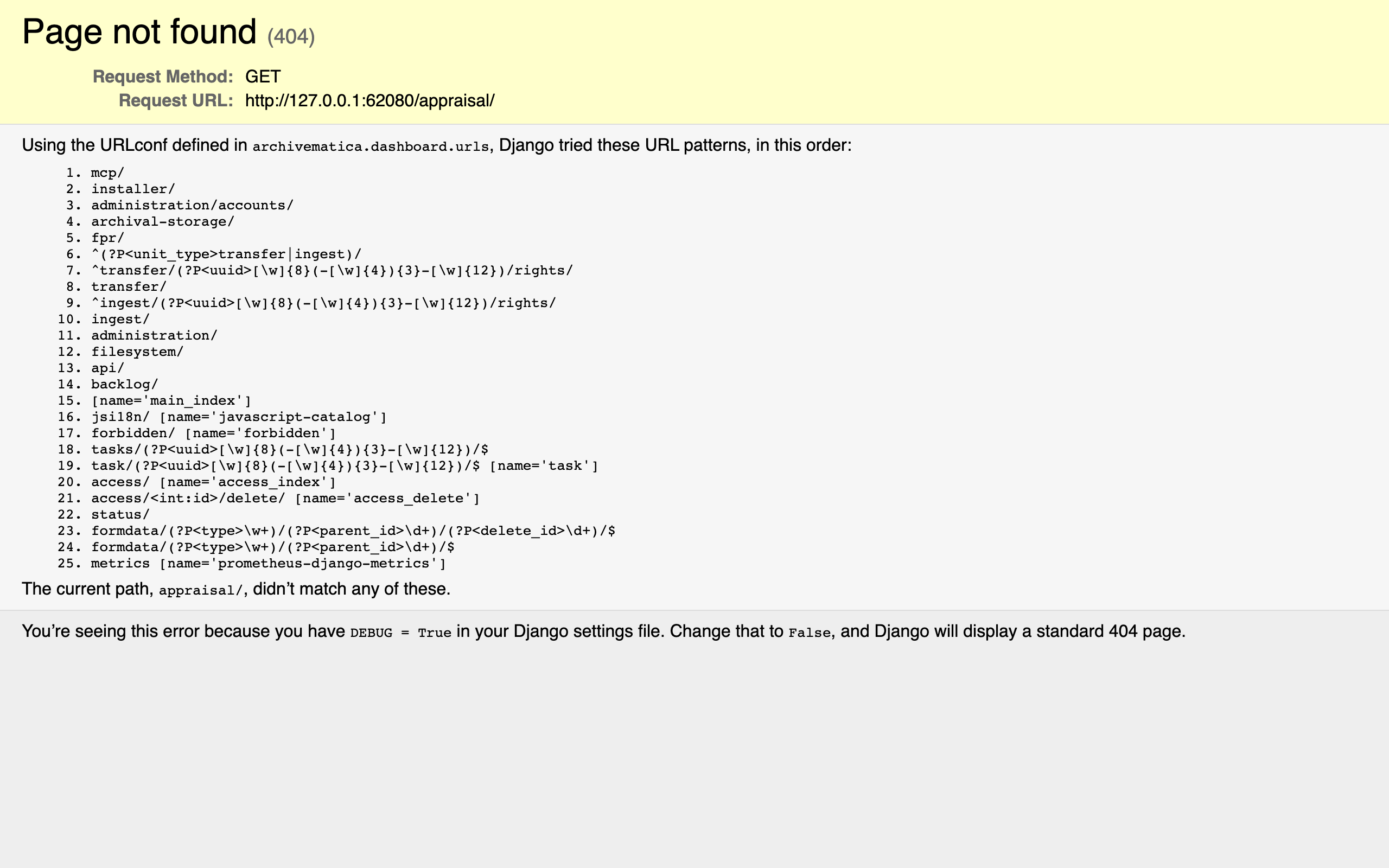
This is a recent change, made in commit af70f1bc "Remove Appraisal tab" (Douglas Cerna of Artefactual, 2026-01-23). This commit deletes the Appraisal tab's backend and the legacy Angular 1.x front end, and also drops the SIP arrangement data model (SIPArrange / SIPArrangeAccessMapping / LevelOfDescription) tables and all.
The rationale for the removal is described in the official Architectural Decision Record (ADR-0012 "Remove appraisal," status Proposed) and in Issue archivematica/Issues#1776 (note that #1776 on the artefactual/archivematica side is an unrelated, different Issue). The key points are:
- The tools the Appraisal tab depends on, such as Angular, are old, and there are security concerns
- The effort to reimplement/update it doesn't match its usefulness in modern workflows
- Usage is low, and there's a shift to more automated, API-driven workflows
Reference links:
What matters is that this removal is a change limited to the unreleased development branch (qa/1.x). As far as I confirmed, releases up to and including the latest stable v1.18.0 (released 2025-09-26) still have the Appraisal tab, and the official documentation covers it. If you want to use the rich appraisal UI — visualization (Analysis), tagging, and SIP creation via drag-and-drop Arrangement — you'll be using the stable version.
Below is a record of how appraisal is integrated in the development version.
Starting the Docker environment
I use the official development Docker stack (hack/). The startup procedure is written up in a separate article (Starting Archivematica with Docker).
After startup, the Dashboard and Storage Service can be accessed at the following URLs (default credentials test / test).
- Dashboard: http://127.0.0.1:62080/
- Storage Service: http://127.0.0.1:62081/
Sending materials to the backlog
To try appraisal, you first need to send materials to the backlog. If you set the Transfer's processing configuration to "Send transfer to backlog" for the SIP-creation decision, the materials will stagnate in the backlog without being turned into AIPs (for processing configuration, see Using processing_config in Transfer).
:::message
Archivematica ships with only two built-in processing configurations: default and automated. To automate sending to backlog, you need to duplicate default under the Dashboard's Administration → Processing configuration, set the "Create SIP(s)" choice to Send to backlog, and create and save that configuration yourself. The example below assumes that configuration is saved under the name backlog.
:::
This time I prepared a sample with mixed formats (documents/ with doc, pdf, rtf; images/ with svg, gif, png, tif), specified the self-made backlog configuration above, and started the transfer from the Dashboard API (v2beta).
# Specify the Transfer source location's UUID and the self-made send-to-backlog processing config name, then start the transfer
curl -s -X POST "http://127.0.0.1:62080/api/v2beta/package/" \
  -H "Authorization: ApiKey test:test" \
  -H "Content-Type: application/json" \
  -d '{
    "name": "appraisal-demo",
    "type": "standard",
    "path": "<base64 of \"<location-uuid>:/home/appraisal-demo\">",
    "processing_config": "backlog",
    "auto_approve": true
  }'
Once the transfer passes through the microservices, the status becomes COMPLETE at Move transfer to backlog and it enters the backlog. It can also be confirmed via the Storage Service API as a package with package_type=transfer.
Appraisal on the Backlog screen
Here is the main topic. In the development version, appraisal operations are consolidated on /backlog/ (the Backlog in the top navigation).
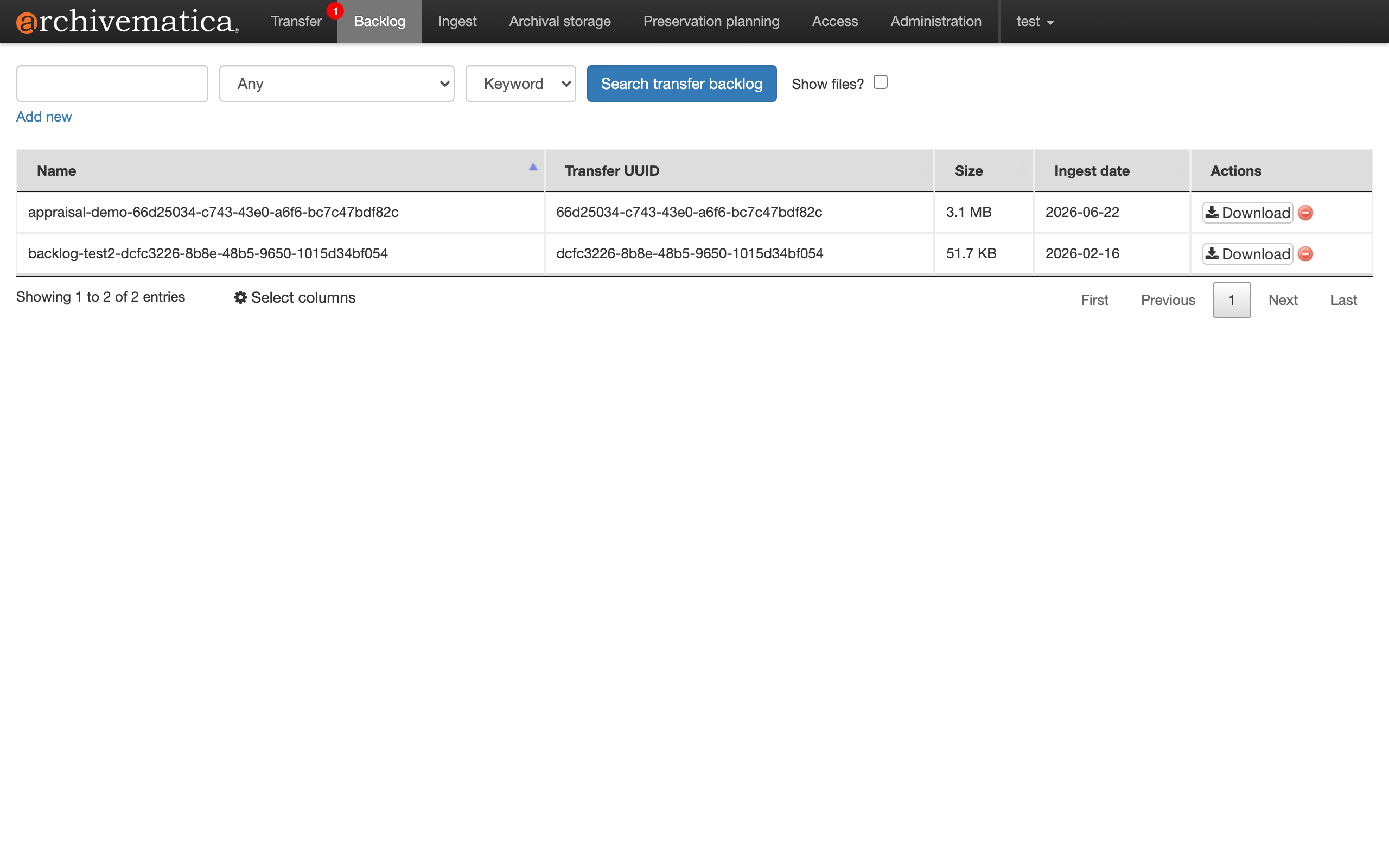
At the top of the screen there's a search box, a dropdown for the search-target field (Any / File name / File extension / Accession number / Ingest date / Transfer UUID), a match method (Keyword / Phrase), a Search transfer backlog button, and a Show files? checkbox. The list shows transfers sent to the backlog, along with name, transfer UUID, size, and ingest date (the appraisal-demo I fed in is visible at 3.1 MB). From the actions on the right edge, you can download and delete the contents.
Cross-cutting per-file search
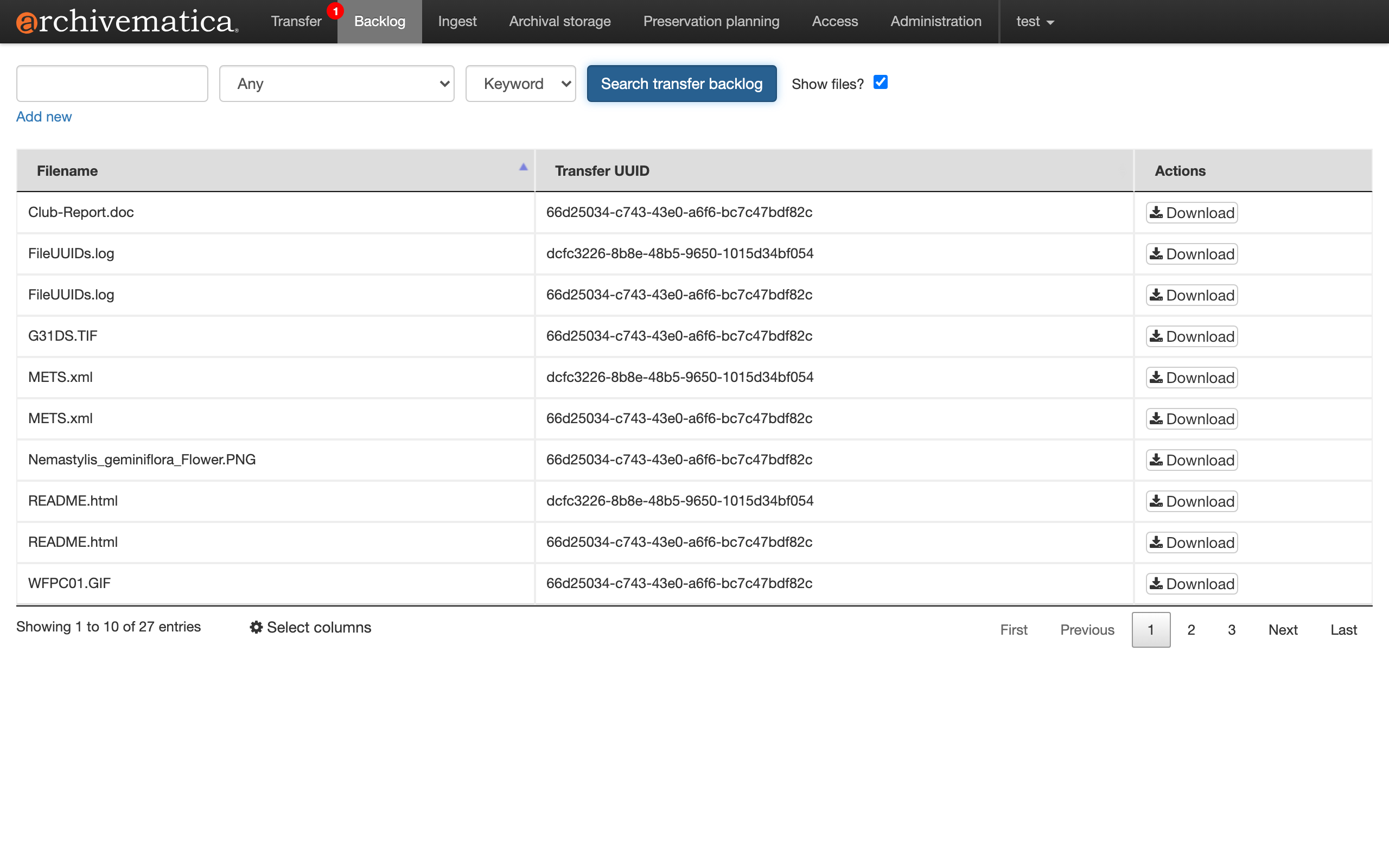
If you check Show files? and search, the search granularity switches from per-transfer to per-file. You can list individual files contained across the entire backlog, crossing the boundaries of transfers.
Filtering by format
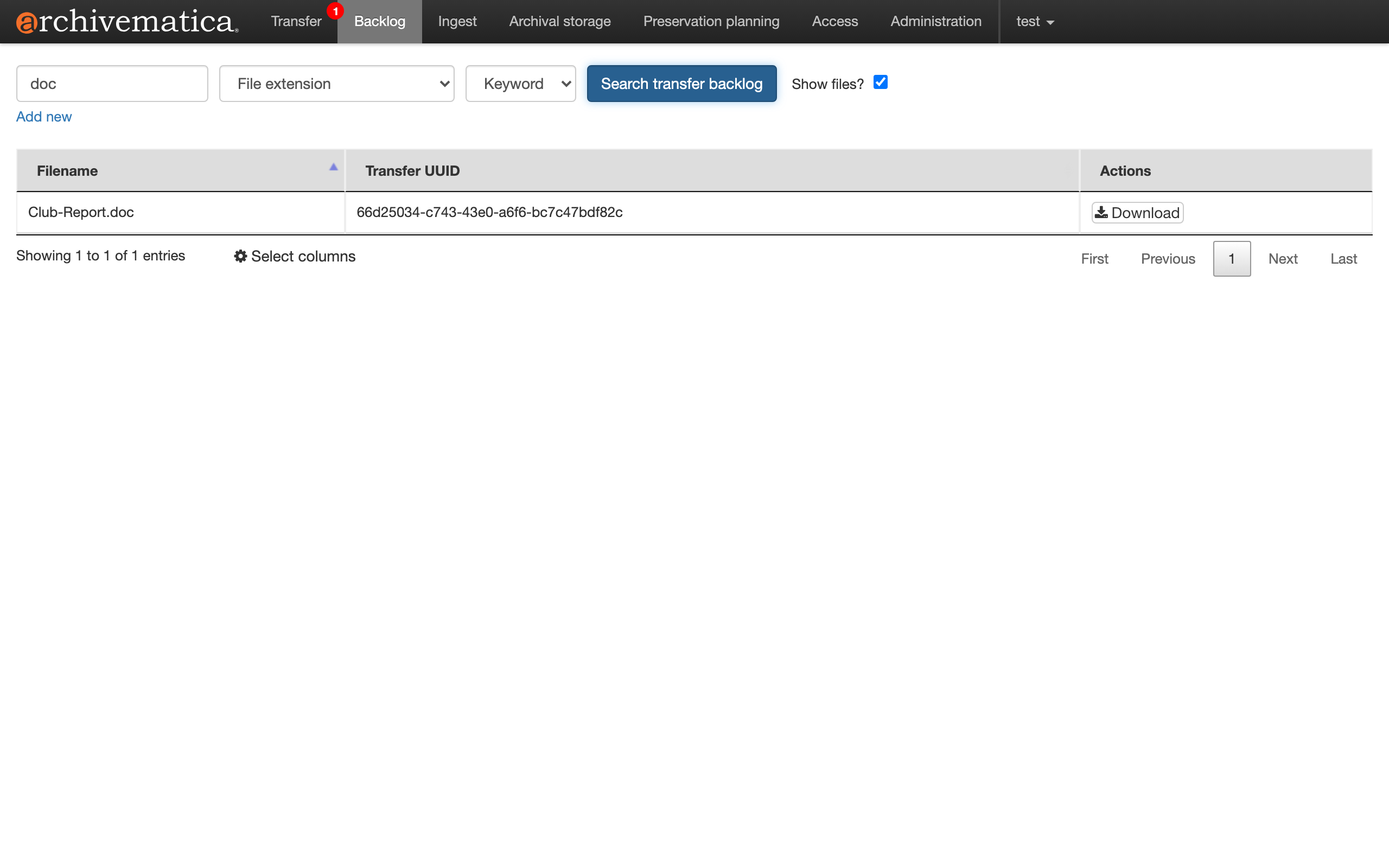
If you set the search-target field to File extension, you can filter horizontally by extension. For example, specifying doc extracts only old Word documents from the entire backlog.
Likewise, specifying tif lists only TIFF images.
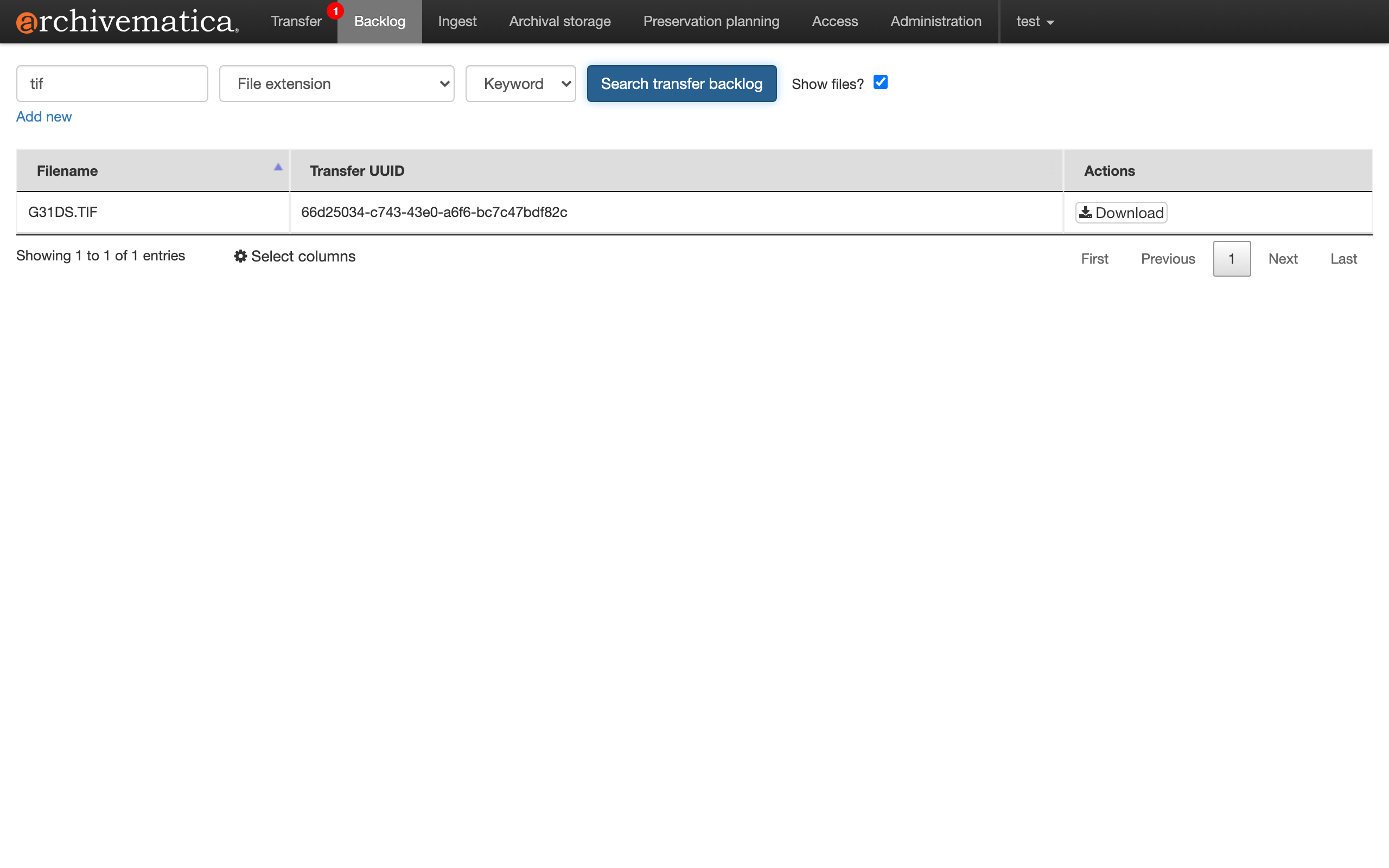
Because judgments like whether a format is suited to long-term preservation, or whether normalization to an access copy is needed, are often made per format, this filtering ties directly into the practical work of appraisal.
Confirm, then keep or cull
You can pull materials of interest to hand with Download, open the contents, and check whether they're worth preserving. Conversely, materials you judge not to preserve are culled with delete (the red button at the end of the row). The flow is to separate what to keep from what to discard and send out to the preservation step only the materials truly worth protecting.
In the development version, there's no visualization graph or drag-and-drop SIP arrangement that the old Appraisal tab had; appraisal is centered on "search, confirm, select/cull."
Note that what you can do on this development version's Backlog screen is only search, download, and delete. The operation of "creating a SIP from the chosen materials and sending it to Ingest (promoting it to the preservation step)" was originally not a Backlog-screen feature but an Appraisal tab feature (the "Create SIP" and "Finalize arrangement" buttons; in the stable version these were backed by filesystem_ajax's copy_to_arrange / copy_from_arrange and the SIPArrange data model). Since the development version removed the entire Appraisal tab, the promote operation has been lost, and it is naturally absent from the Backlog screen as well. The arrangement and SIP creation mentioned in the "use cases" above are a general description of appraisal, and executing them requires the stable version's Appraisal tab, which the next section touches on.
Preserving the original state ── the original state is recorded even if you change the structure through arrangement
In appraisal, you cull accessioned materials and add a folder hierarchy through the Appraisal tab's Arrangement. What's concerning here is "won't the information or structure as it was at accession be lost?" The conclusion is: files you decide to discard aren't preserved, but for the materials you keep, the original path, original structure, and provenance at accession are recorded and preserved.
Archivematica holds separately, for each file, the path at accession (originalLocation, immutable) and the current path that changes with normalization or arrangement (currentLocation). When generating the METS, PREMIS's originalName has the original location written into it (create_mets_v2.py).
etree.SubElement(
    object_elem, ns.premisBNS + "originalName"
).text = f.originallocation.decode()   # the path at accession (immutable)
To actually confirm this, I transferred a flat (no subfolders) set of 3 files, notes.doc / report.pdf / scan.tif, and processed them through to an AIP.
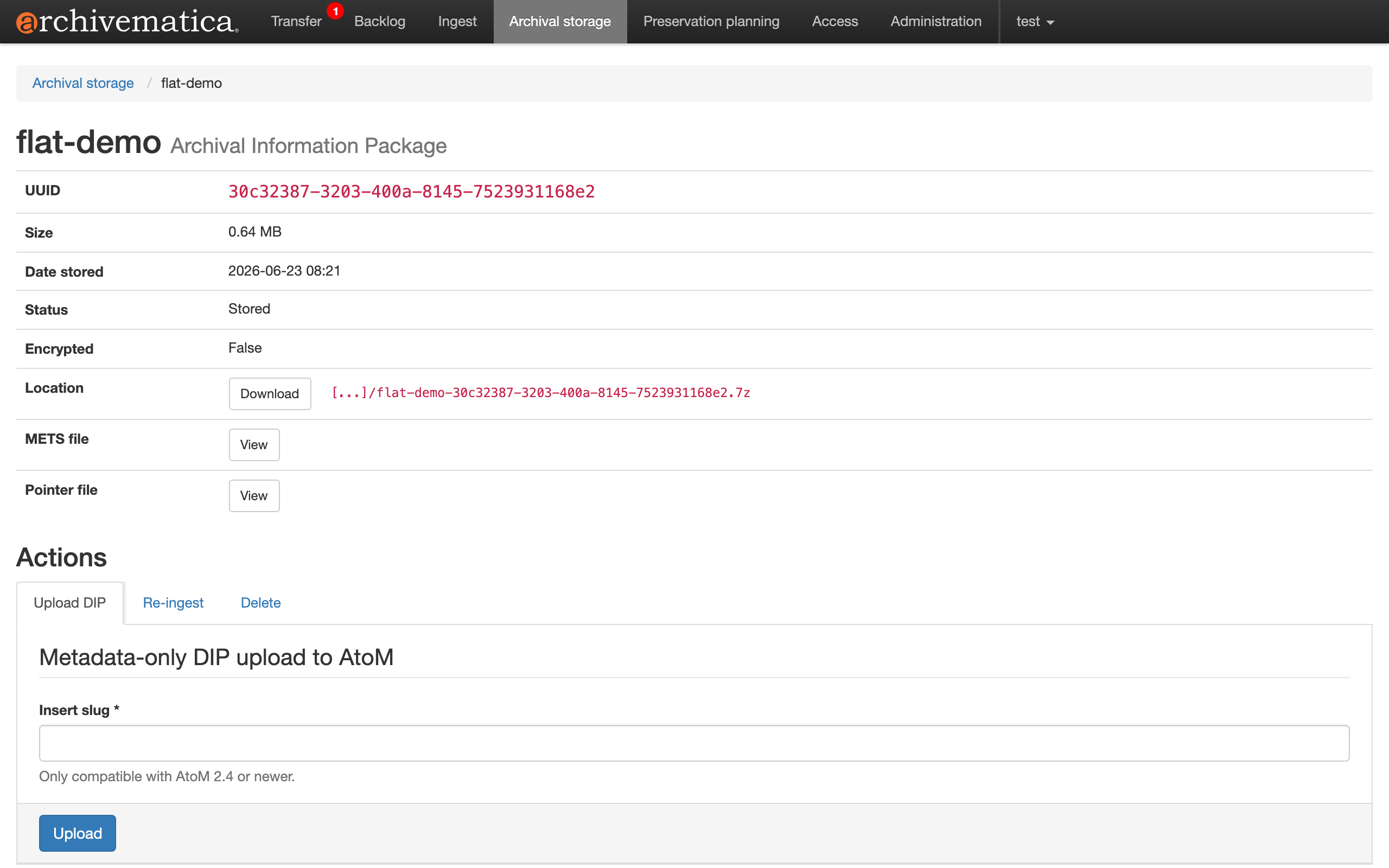
Looking at the generated AIP's METS, the physical structure (structMap) includes, in addition to the original files, the normalized preservation copies (report-<UUID>.pdf, etc.).
<mets:structMap TYPE="physical" ID="structMap_1" LABEL="Archivematica default">
  <mets:div TYPE="Directory" LABEL="flat-demo-30c32387-…">
    <mets:div TYPE="Directory" LABEL="objects">
      <mets:div TYPE="Item" LABEL="notes.doc">
        <mets:fptr FILEID="file-15404e14-…"/>
      </mets:div>
      <mets:div TYPE="Item" LABEL="report.pdf">
        <mets:fptr FILEID="file-18c095a7-…"/>
      </mets:div>
      <mets:div TYPE="Item" LABEL="report-8eb58fbb-….pdf"><!-- normalized preservation copy -->
        <mets:fptr FILEID="file-8eb58fbb-…"/>
      </mets:div>
      <mets:div TYPE="Item" LABEL="scan.tif">
        <mets:fptr FILEID="file-c7c5ac2a-…"/>
      </mets:div>
      <mets:div TYPE="Item" LABEL="scan-9cdc87f1-….tif"><!-- normalized preservation copy -->
        <mets:fptr FILEID="file-9cdc87f1-…"/>
      </mets:div>
    </mets:div>
  </mets:div>
</mets:structMap>
And each file's PREMIS originalName records the flat path as it was at accession.
<premis:object xsi:type="premis:file">
  <premis:objectIdentifier>
    <premis:objectIdentifierType>UUID</premis:objectIdentifierType>
    <premis:objectIdentifierValue>15404e14-2584-47af-bcec-b24714731167</premis:objectIdentifierValue>
  </premis:objectIdentifier>
  <!-- ...formatName: Microsoft Word, etc... -->
  <premis:originalName>%transferDirectory%objects/notes.doc</premis:originalName>
</premis:object>
%transferDirectory%objects/notes.doc is the original path at accession. Note that the METS shown here is for a flat AIP created without arrangement, so originalName being flat is, of itself, a given. The point is that originalName doesn't change even when you later attach a hierarchy through arrangement, which follows from the mechanism in the source. Arrangement (SIP arrangement) rewrites only each file's currentLocation (current path) and doesn't touch originalLocation (the source of originalName). originalName remains the flat path as it was at accession because this originalLocation isn't rewritten (independent of how the physical structure structMap is assembled). The physical structure (structMap), on the other hand, is assembled by following currentLocation, so it reflects the post-arrangement hierarchy, and the arranged intellectual structure is recorded in a separate logical structMap (Hierarchical). Thus "the current structure" and "the original state" are built independently from different values, and the fact that "it was originally flat" can be reconstructed from the METS.
In addition, even if you arrange and create a SIP, the accession-time BagIt bag in the backlog remains as-is (physical safekeeping of the original state). If you want to correct the AIP after preservation, you use Re-ingest (the feature in the Actions of the AIP detail screen above), not appraisal.
Note that the arrangement operation itself can be done in the stable version (v1.18.0), which has the Appraisal tab, or in the official sandbox. This time, standing up the stable version locally and actually trying it, I was able to drag the 3 flatly-accessioned files under a newly-created 2024 folder and arrange them (2024 (3 objects)). Pressing "Create SIP" from this state creates a SIP with the arranged hierarchical structure intact and sends it to Ingest.
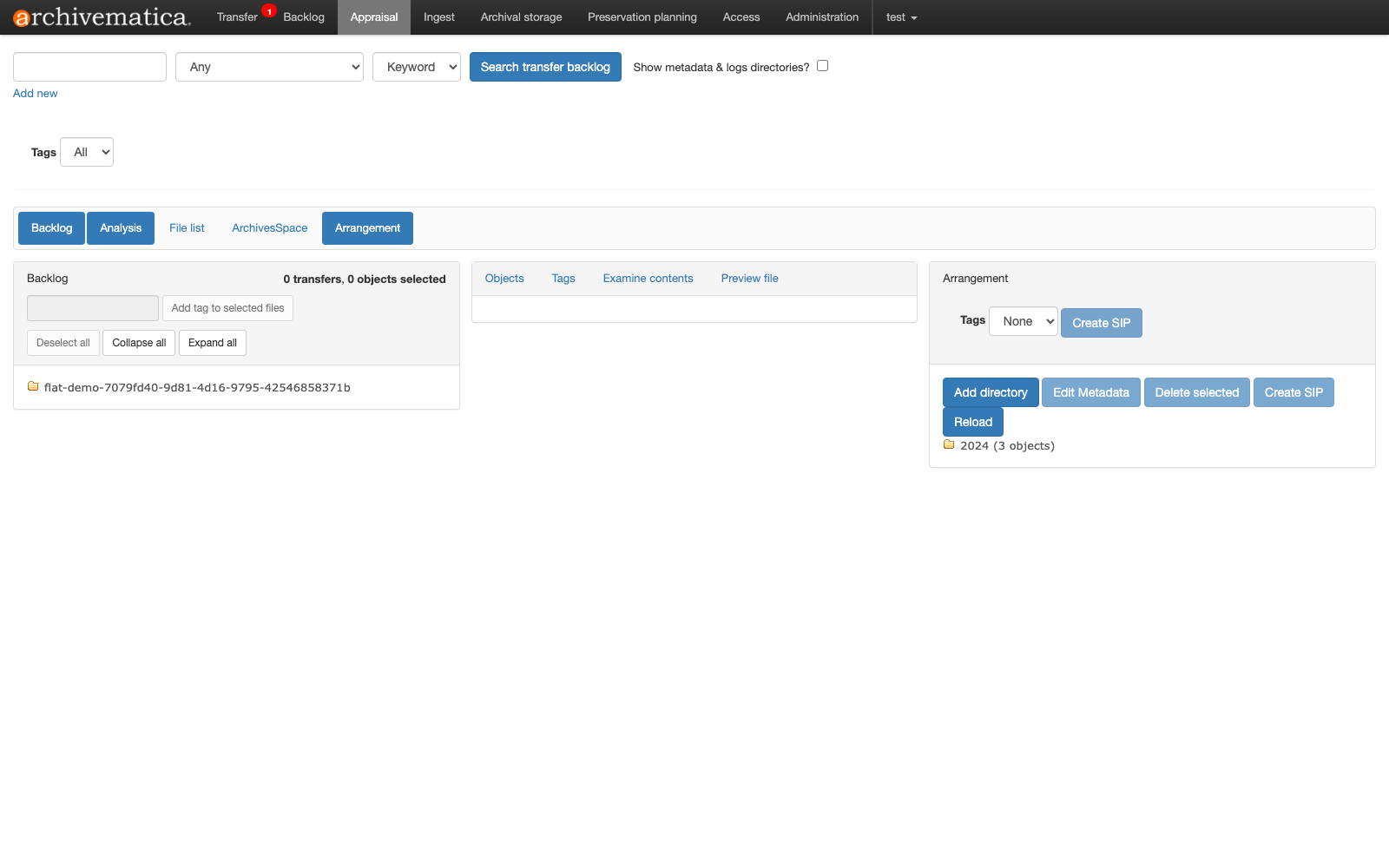
(The process of standing up the stable version locally is written up in a separate article.)
Operating and recording with Playwright
For this verification, I automated the series of Backlog-screen operations (login → search → Show files → facet filtering → confirming Download/Delete) with Playwright and recorded the operations. Things like qa/1.x not having /appraisal/, and the search box being an input without a type attribute (it doesn't match input[type=text], so it must be obtained with role=textbox), were things I understood only after actually inspecting the DOM.
Summary
- Appraisal is the step, "before" creating a SIP, of discerning and selecting what to preserve. It is not a correction after SIP/AIP creation (that's Re-ingest).
- The backlog is a holding place for "transfers" that have been processed but not yet turned into AIPs.
- In the development version (
qa/1.x), the standalone Appraisal tab has been removed, and appraisal is integrated into the Backlog's search screen. The rationale for the removal (security, low usage, the shift to API-driven) is described in ADR-0012. - If you want to use the rich Appraisal UI, use a stable version (
v1.18.0or earlier).


Comments
…