Introduction
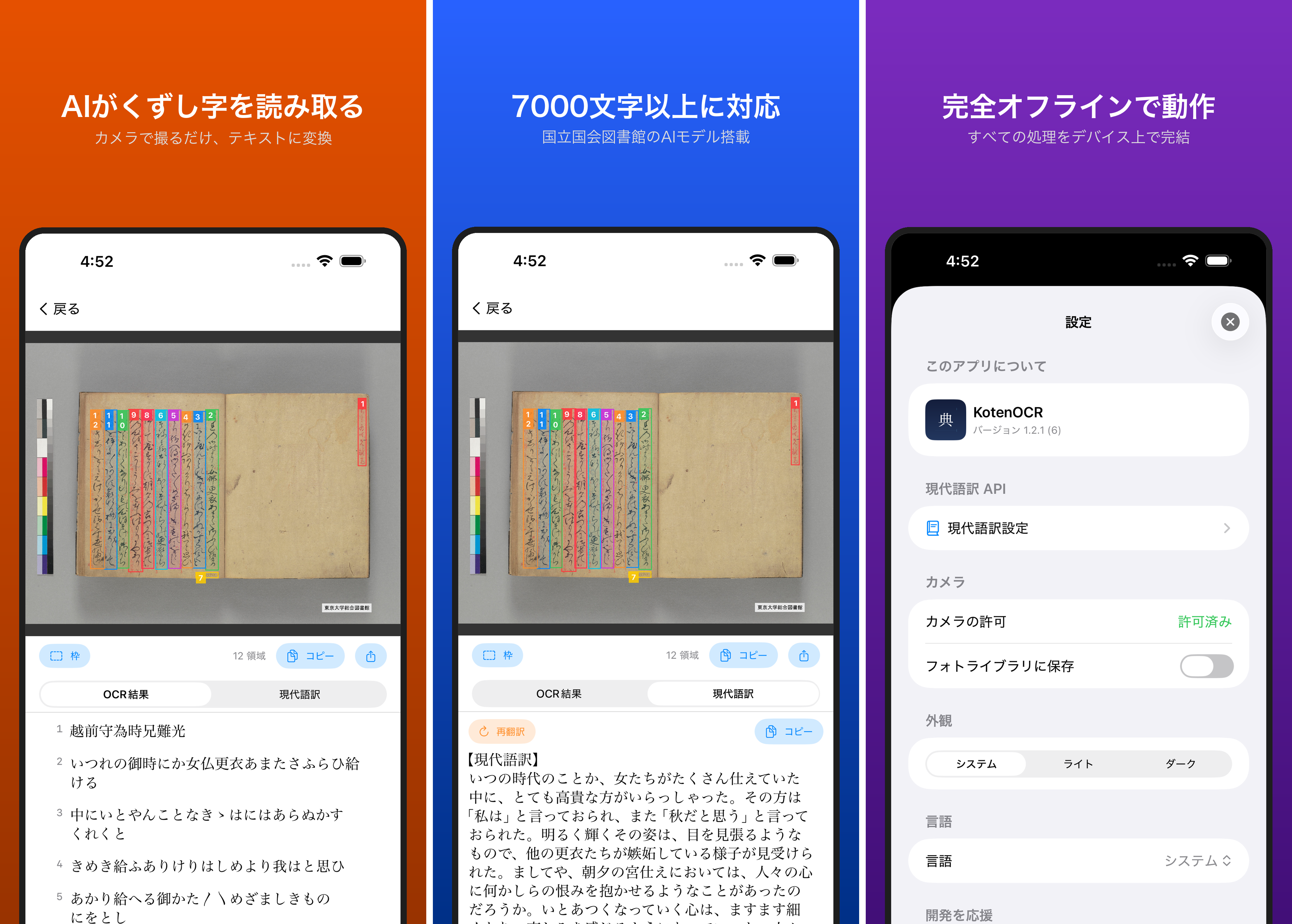
KotenOCR is an iOS app that runs OCR models published by the National Diet Library (NDL) of Japan entirely on-device, recognizing historical cursive script (kuzushiji) and modern printed text offline.
In modern-script OCR mode (NDL mode), the app uses NDL's DEIMv2-S model for layout detection and PARSeQ for text recognition. However, the iOS implementation was returning noticeably more detections than the reference ndlocr-lite implementation, resulting in duplicate and garbled text in OCR output.
This article documents the investigation and the fixes applied.
Symptom: Too Many Detections
A page from the preface of the Kōi Genji Monogatari (Collated Tale of Genji), retrieved from the NDL Digital Collections, was used as a test image.
The reference ndlocr-lite returned 17 line detections (line_main, line_caption, etc.). The iOS implementation returned 28 detections, and the OCR output contained duplicate text and garbled characters.
Three root causes were identified.
Cause 1: NMS (Non-Maximum Suppression) Was Not Implemented
The assumption had been that the DEIMv2 ONNX model output already had NMS applied internally. Reading the reference ndlocr-lite source code revealed that it applies an additional NMS pass (IoU threshold = 0.2) after model inference.
In other words, the model output still contains overlapping bounding boxes that must be removed in post-processing.
Fix: Adding NMS
NMS processing was added to DEIMDetector.swift.
// DEIMDetector.swift — end of postprocess()

// Sort by score descending
let sorted = detections.sorted { $0.score > $1.score }

// Apply NMS to remove overlapping detections
let nmsResult = applyNMS(sorted, iouThreshold: iouThreshold)

return Array(nmsResult.prefix(maxDetections))
The NMS implementation itself is as follows. It iterates through detections sorted by score in descending order and discards any detection whose IoU with an already-kept detection exceeds the threshold.
// DEIMDetector.swift

/// Apply Non-Maximum Suppression to remove overlapping detections.
private func applyNMS(_ detections: [Detection], iouThreshold: Float) -> [Detection] {
    var kept: [Detection] = []

    for det in detections {
        var shouldKeep = true
        for existing in kept {
            if computeIoU(det.box, existing.box) > iouThreshold {
                shouldKeep = false
                break
            }
        }
        if shouldKeep {
            kept.append(det)
        }
    }

    return kept
}

/// Compute Intersection over Union between two boxes [x1, y1, x2, y2].
private func computeIoU(_ a: [Int], _ b: [Int]) -> Float {
    let x1 = max(a[0], b[0])
    let y1 = max(a[1], b[1])
    let x2 = min(a[2], b[2])
    let y2 = min(a[3], b[3])

    let interW = max(0, x2 - x1)
    let interH = max(0, y2 - y1)
    let interArea = Float(interW * interH)

    let areaA = Float((a[2] - a[0]) * (a[3] - a[1]))
    let areaB = Float((b[2] - b[0]) * (b[3] - b[1]))
    let unionArea = areaA + areaB - interArea

    guard unionArea > 0 else { return 0 }
    return interArea / unionArea
}
Cause 2: All Classes Were Being Sent to OCR
The DEIMv2 model detects 17 classes of layout elements.
| Category | Class names | Purpose |
|---|---|---|
| Lines (text recognition targets) | line_main, line_header, line_caption, line_title, etc. | OCR input |
| Blocks (structural information) | text_block, block_fig, block_pillar, block_rubi, etc. | Structural annotation |
The reference ndlocr-lite only sends classes beginning with line_* to text recognition. text_block represents a paragraph region on the page and physically overlaps with individual lines. Sending it to OCR causes the same text to be recognized twice.
The iOS implementation was sending all classes to OCR without distinction, meaning both text_block and line_main were being recognized, producing duplicate text.
Fix: Filtering to line_* Classes
In processNDL() within OCREngine.swift, detection results are now filtered to line_* classes only.
// OCREngine.swift — processNDL()

// Step 1: Layout detection
let allDetections = try await Task.detached(priority: .userInitiated) {
    try detector.detect(image: image)
}.value

// Filter to line_* classes only (text_block and block_* are structural, not for OCR)
let detections = allDetections.filter { $0.className.hasPrefix("line_") }
This single line of filtering removes text_block, block_fig, and similar classes from OCR input while keeping them in allDetections. If a layout visualization feature is added in the future, allDetections remains available for that purpose.
Cause 3: Parameter Discrepancies
Several parameters differed between the reference ndlocr-lite and the iOS implementation.
| Parameter | Reference ndlocr-lite | iOS (before fix) | iOS (after fix) |
|---|---|---|---|
| scoreThreshold | 0.2 | 0.25 | 0.2 |
| maxDetections | 100 | 300 | 100 |
| iouThreshold (NMS) | 0.2 | not present | 0.2 |
The absence of iouThreshold was the most critical issue. The scoreThreshold of 0.25 appears to have been a workaround to reduce noise in the absence of NMS, but the correct approach is to remove duplicates with NMS itself.
Fix: Aligning Parameters
// OCREngine.swift — loadNDLModels()

self.ndlDetector = try DEIMDetector(
    env: env, modelPath: detModelPath, configPath: configPath,
    scoreThreshold: 0.2, confThreshold: 0.25,
    iouThreshold: 0.2, maxDetections: 100
)
The DEIMDetector initializer now uses the same parameter values as the reference implementation as defaults.
// DEIMDetector.swift

init(env: ORTEnv, modelPath: String, configPath: String,
     scoreThreshold: Float = 0.2, confThreshold: Float = 0.25,
     iouThreshold: Float = 0.2, maxDetections: Int = 100) throws {
Results
Comparison on the preface page of the Kōi Genji Monogatari:
| Before fix | After fix | |
|---|---|---|
| Detection count | 28 (including text_block) | 17 (line_* only) |
| Duplicate text | Present | None |
| Match with reference | Mismatch | Match |
Before the fix, text_block overlapped with individual line regions, causing the same text to be recognized repeatedly and producing garbled output where bounding boxes were too large. After the fix, only the 17 line detections matching the reference ndlocr-lite are returned, yielding clean OCR output.
Conclusion
When running ONNX models on iOS, differences from the reference Python implementation can produce unexpected bugs. Key lessons from this investigation:
- Do not assume ONNX model output is already fully post-processed — the model may not include NMS internally. Always review the reference implementation's post-processing code.
- Understand the purpose of each detection class — layout detection models output both structural information (blocks) and recognition targets (lines) simultaneously. Sending everything to OCR causes duplicates.
- Align parameters with the reference — subtle threshold differences have significant effects on results. IoU threshold for NMS directly determines detection quality.
Carefully comparing the reference ndlocr-lite Python code against the iOS (Swift + ONNX Runtime) implementation made it possible to achieve equivalent detection accuracy.

Comments
…