Overview
This is a note on how to delete a feature store in Vertex AI on GCP (Google Cloud Platform).
I later noticed that official documentation was available at the following link.

Manage featurestores | Vertex AI | Google Cloud Documentation
Learn how to use feature stores for online and offline serving of feature data in Vertex AI Feature Store (Legacy).
 Google Cloud Documentation
Method
In this example, I will attempt to delete a feature store called test as shown below.
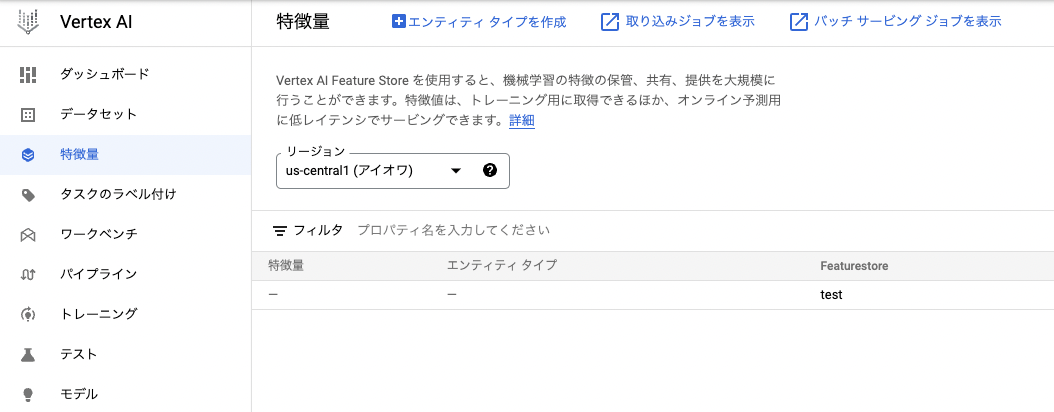
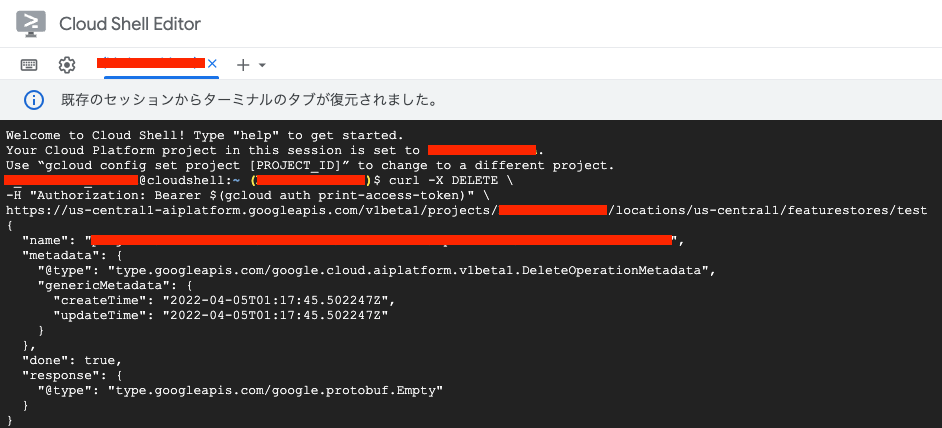
It could be deleted by executing the following command. (I was unable to find a way to delete it from the GUI.)
| Value | Description |
|---|---|
| LOCATION | The region where the feature store is located (e.g., us-central1). |
| PROJECT | The project ID or project number. |
| FEATURESTORE_ID | The ID of the feature store. |
curl -X DELETE \
-H "Authorization: Bearer $(gcloud auth print-access-token)" \
https://{LOCATION}-aiplatform.googleapis.com/v1beta1/projects/{PROJECT}/locations/{LOCATION}/featurestores/{FEATURESTORE_ID}
This could be executed in Cloud Shell.
Summary
I hope this helps anyone experiencing the same issue.


Comments
…