
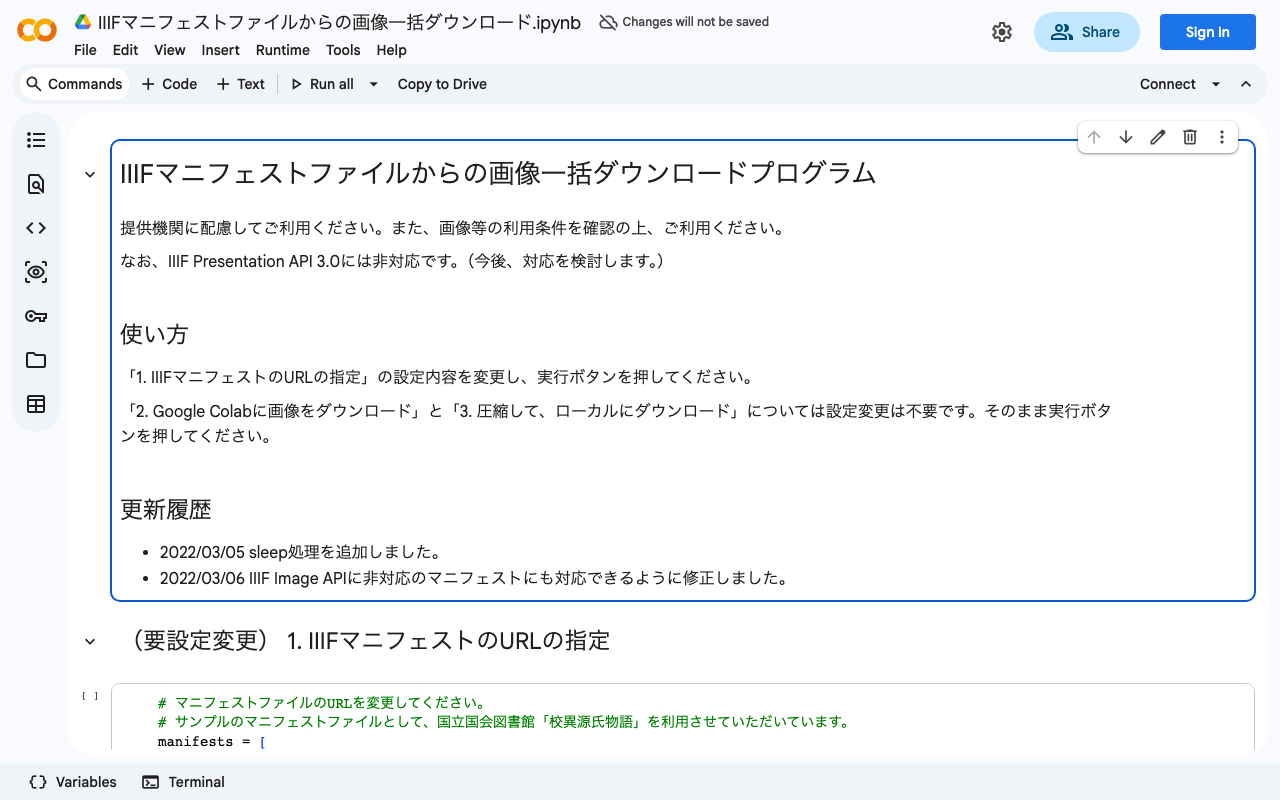
 We created a program for batch downloading images from IIIF manifest files.
You can use it from the following Google Colab notebook:

 colab.research.google.com
Please use it with consideration for the providing institutions. Also, please check the terms of use for the IIIF manifest before using it.
Update (2026-07-26)
This addendum was written together with a generative AI. The facts have been checked where possible, but errors may remain.
The logic that used to live directly in the notebook has been extracted into a Python package maintained on GitHub (nakamura196/000_tools). The Colab notebook now pip installs that package and calls it. The link above opens the notebook from GitHub in Colab; the earlier Google Drive copy (colab.research.google.com/drive/...) is no longer updated.
- Notebook: https://github.com/nakamura196/000_tools/blob/main/iiif_image_downloader.ipynb
- Package: https://github.com/nakamura196/000_tools/tree/main/packages/iiif-image-downloader
The following changes were made along the way, including the limitation noted when the program was first published.
Support for IIIF Presentation API 3.0
The first version only read the Presentation API 2.x structure (sequences → canvases → images). In 3.0 this becomes items (Canvas) → items (AnnotationPage) → items (Annotation) → body, so both shapes are now handled. A Choice body — several images offered for the same Canvas, such as a natural-light and an infrared shot; the structure itself is defined by the W3C Web Annotation Data Model rather than by IIIF — and language-map labels are also supported. For a Choice, the image the provider presents by default is taken (the first items entry in 3.0, default in 2.x).
Size selection based on the Image API version
The size segment of the image request defaults to max for Image API 3 and full for 1.x/2.x: 3.0 removed full as a size value, while max was only introduced in 2.1 and is not understood by earlier servers. (full remains valid as the region, so a 3.0 request looks like full/max/0/default.jpg.) A value such as !1024,1024 can be given to fetch a reduced version instead, though whether resizing is available depends on the server's compliance level — the National Diet Library's digital collections did not accept the !w,h form.
Collection expansion
A Collection URI can now be given in addition to a Manifest. Its member Manifests are resolved recursively and saved into separate folders.
Resuming, and how failures are handled
Images are written to a temporary file and then moved into place, so an interrupted run leaves no truncated files behind; re-running the same cell fetches only what is missing. A single failed image no longer stops the run — failures are collected and reported at the end. Requests are retried up to three times by default on 429 and 5xx responses, with a growing interval.
Command line use
An iiif-image-download command is available so the same processing can run outside Colab. Options include --dry-run, which prints the URLs and destination paths without downloading anything.
pip install "git+https://github.com/nakamura196/000_tools.git#subdirectory=packages/iiif-image-downloader"

iiif-image-download -n 3 https://www.dl.ndl.go.jp/api/iiif/3437686/manifest.json
The full set of options and the details of the behaviour are documented in the package README.


Comments
…