This article is co-authored with generative AI. While I have cross-checked facts against official documentation where possible, errors may remain. Please verify primary sources before making important decisions.
In Submitting a macOS App to the Mac App Store, I took TEI Scanner — a macOS app that OCRs page images and emits TEI/XML — through submission to the Mac App Store and got it past review. I submitted on May 10, 2026, and four days later received notice that review was complete and the app was eligible for distribution.
And yet. When I opened App Store Connect after the review-passed notice arrived, the version 1.0 page showed this notice:
This app has been removed from sale on the App Store. Go to Pricing and Availability to add it back to the App Store.
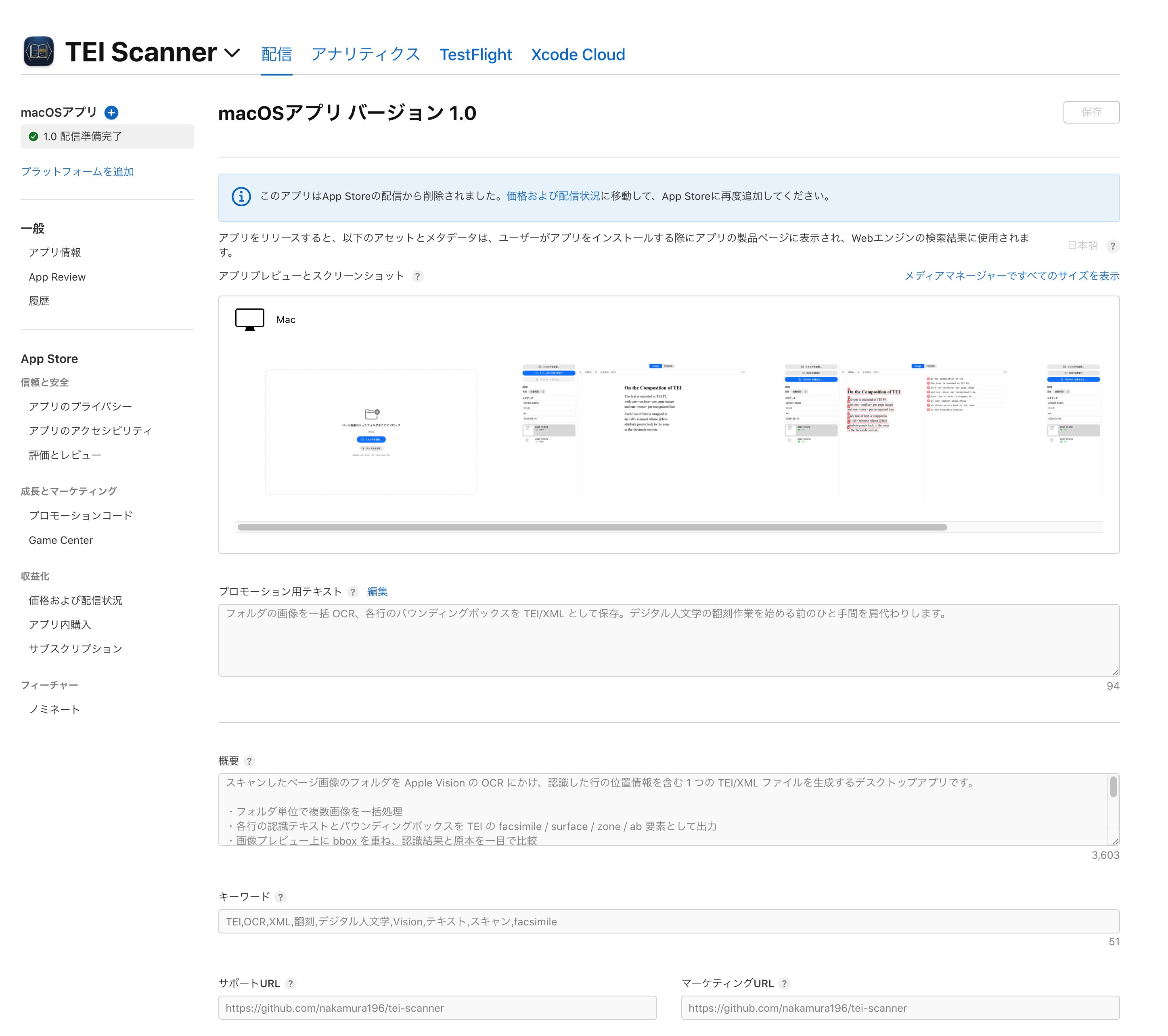
Review had passed. The version state was "Ready for Distribution." And still: "removed from sale." This post records how I diagnosed that contradiction with the App Store Connect API and fixed the actual cause — App Availability never having been set — after the fact through the API.
The basics of the availability API (appAvailabilities) itself are covered in Submitting an iOS App Update Using Only the App Store Connect API. To avoid repetition, this post focuses on diagnosing the "review passed but the app isn't distributed" symptom and the errors I hit along the way.
"Review status" and "distribution" are different things
To set the framing first: before an app actually reaches users on the App Store, there are three independent axes. Conflating them is exactly what leads to a situation like this one.
| Axis | What it represents | State this time |
|---|---|---|
Version review status (appStoreState) | Whether review passed | Passed (Ready for Distribution) |
Release timing (releaseType) | Auto-release after approval, or manual | Set |
| App Availability | Which countries/regions can buy it | Not set (0 territories) |
At the end of the previous post I also wrote that "review passed" and "published on the App Store" are separate stages — but what I touched on there was the second axis (releaseType). What tripped me up this time was the third. With availability left at zero, no matter how thoroughly review passes, there is no country where the app can be bought, so it does not appear on the App Store. In the App Store Connect UI this surfaces as the notice "This app has been removed from sale on the App Store" (this is UI wording, not a formally defined status name).
The key point is that App Availability is not part of the review submission (reviewSubmission). What you attach to reviewSubmissionItems is the version; availability is a separate resource. In other words, you can submit and pass review with availability empty. When you create an app from the App Store Connect web UI, the initial setup normally prompts you to pick territories — but when you drive Bundle ID registration, metadata, build attachment, and review submission largely through the API, as I did this time, availability is never set anywhere unless you explicitly call appAvailabilities. That was the pitfall here.
Diagnosing the symptom with the API
The web UI wording alone doesn't make it clear whether the app was rejected in review or whether something simply wasn't set. So I went straight to the App Store Connect API to inspect the availability state.
Availability can be read from the appAvailabilityV2 relationship on the app resource.
# _asc.request is the existing helper that sends requests to
# https://api.appstoreconnect.apple.com/v1/
status, data = request("GET", f"apps/{app_id}/appAvailabilityV2",
                       raise_on_error=False)
print(status, data)
Here's what came back:
404 {
  "errors": [{
    "status": "404",
    "code": "NOT_FOUND",
    "title": "The specified resource does not exist",
    "detail": "There is no resource of type 'appAvailabilities' with id '...'"
  }]
}
NOT_FOUND. Not PATH_ERROR (a misspelled URL) — the appAvailabilities resource itself does not exist. That confirmed availability had never been created. Not a rejection, not a misconfiguration — simply a setting that was never made.
For reference, querying appAvailability instead of appAvailabilityV2 gives a different error, because that relationship doesn't exist:
404 {"errors": [{"code": "PATH_ERROR",
  "detail": "The relationship 'appAvailability' does not exist"}]}
NOT_FOUND (the resource is absent) and PATH_ERROR (the path is absent) are distinguishable, which is a useful clue when narrowing things down.
Creating availability after the fact
Once the cause is clear, all that's left is to create appAvailabilities. The procedure is the same as in the iOS update post linked above:
GET /v1/territories?limit=200to fetch the available countries/regions (175 at the time of writing)POST /v2/appAvailabilitiesto register every territory withavailable: true
But I hit two errors here, so let me write down those two points.
Error 1: the endpoint is under v2
At first I did a plain POST with the existing API helper (whose base URL is /v1/), and got this:
404 {"errors": [{"code": "PATH_ERROR",
  "detail": "The resource 'v1/appAvailabilities' does not exist"}]}
Creating appAvailabilities only exists on the /v2/ endpoint. There's an asymmetry: GET apps/{id}/appAvailabilityV2 (reading via the v1 relationship) works, but creation is v2. So I added a v2 request function separate from the v1 helper.
def request_v2(method, path, body=None):
    """App Availability lives under the /v2/ API; _asc.request is /v1/ only."""
    url = f"https://api.appstoreconnect.apple.com/v2/{path}"
    data = json.dumps(body).encode() if body else None
    req = urllib.request.Request(
        url, data=data, method=method,
        headers={
            "Authorization": f"Bearer {token()}",  # reuse the existing helper's JWT
            "Content-Type": "application/json",
        },
    )
    ...
Building the JWT (JSON Web Token) and loading the key are the same as for v1, so I just reused token() from the existing helper and swapped the base URL.
Error 2: the included id must be ${local-id} form
This is the next one I hit. I lined up the territoryAvailabilities for all 175 territories in included, put territory codes like JPN and USA directly into id, and POSTed — and every entry was rejected with 409:
409 {"errors": [{"code": "ENTITY_ERROR.INCLUDED.INVALID_ID",
  "detail": "The provided included entity id 'AFG' has invalid format.
             For inline creation, the id must be a local id
             with the format '${local-id}'.",
  "source": {"pointer": "/included/0/id"}}]}
Creating appAvailabilities takes the form of a single bulk creation (inline creation) with the per-territory territoryAvailabilities bundled into included. The id of each included element here must be a local id pointing to a not-yet-existing resource — a placeholder wrapped in ${...}. The real territory code goes inside, on the relationships.territory side.
"included": [
    {
        "type": "territoryAvailabilities",
        "id": "${%s}" % t,                       # <- local id (placeholder)
        "attributes": {"available": True},
        "relationships": {
            "territory": {
                "data": {"type": "territories", "id": t}  # <- real code (JPN, etc.)
            }
        },
    }
    for t in territories
]
The data.relationships.territoryAvailabilities.data side then references the same local ids (${JPN}, etc.), not the real codes. data and included are tied together by local id, and the server creates them all in one shot. Putting real ids into included and getting a 409 is probably the first thing you trip over the first time you use JSON:API inline creation.
The corrected POST went through, and availability was created:
created app availability: id=...
app availability exists: availableInNewTerritories=True
territories available: 175
Setting availableInNewTerritories=True means that when Apple adds a new App Store territory in the future, the app is automatically included there too. This matches the default behavior in the web UI.
Make it idempotent — skip if it already exists
Availability persists once created, so the script should "do nothing if it already exists." You can reuse the very appAvailabilityV2 GET used for diagnosis.
status, data = request("GET", f"apps/{app_id}/appAvailabilityV2",
                       raise_on_error=False)
if status == 200:
    print("availability already set — nothing to do")
elif status == 404:
    create_availability(app_id, list_territories(), available_in_new=True)
404 means not set, so create; 200 means already created, so skip. Same approach as writing the metadata script to be idempotent — the availability script becomes safe to run any number of times.
Verification
After creation, query appAvailabilityV2 again to check that availability is laid out as intended. Fetching the territoryAvailabilities sub-resource lets you count the available: true entries.
status, data = request_v2(
    "GET",
    f"appAvailabilities/{app_id}/territoryAvailabilities"
    f"?limit=200&fields[territoryAvailabilities]=available")
avail = [t for t in data["data"] if t["attributes"]["available"]]
print(f"available: {len(avail)}")   # -> available: 175
All 175 entries were confirmed available. This change also shows up directly in the "App Availability" section of App Store Connect's "Pricing and Availability" page.
| Before | After |
|---|---|
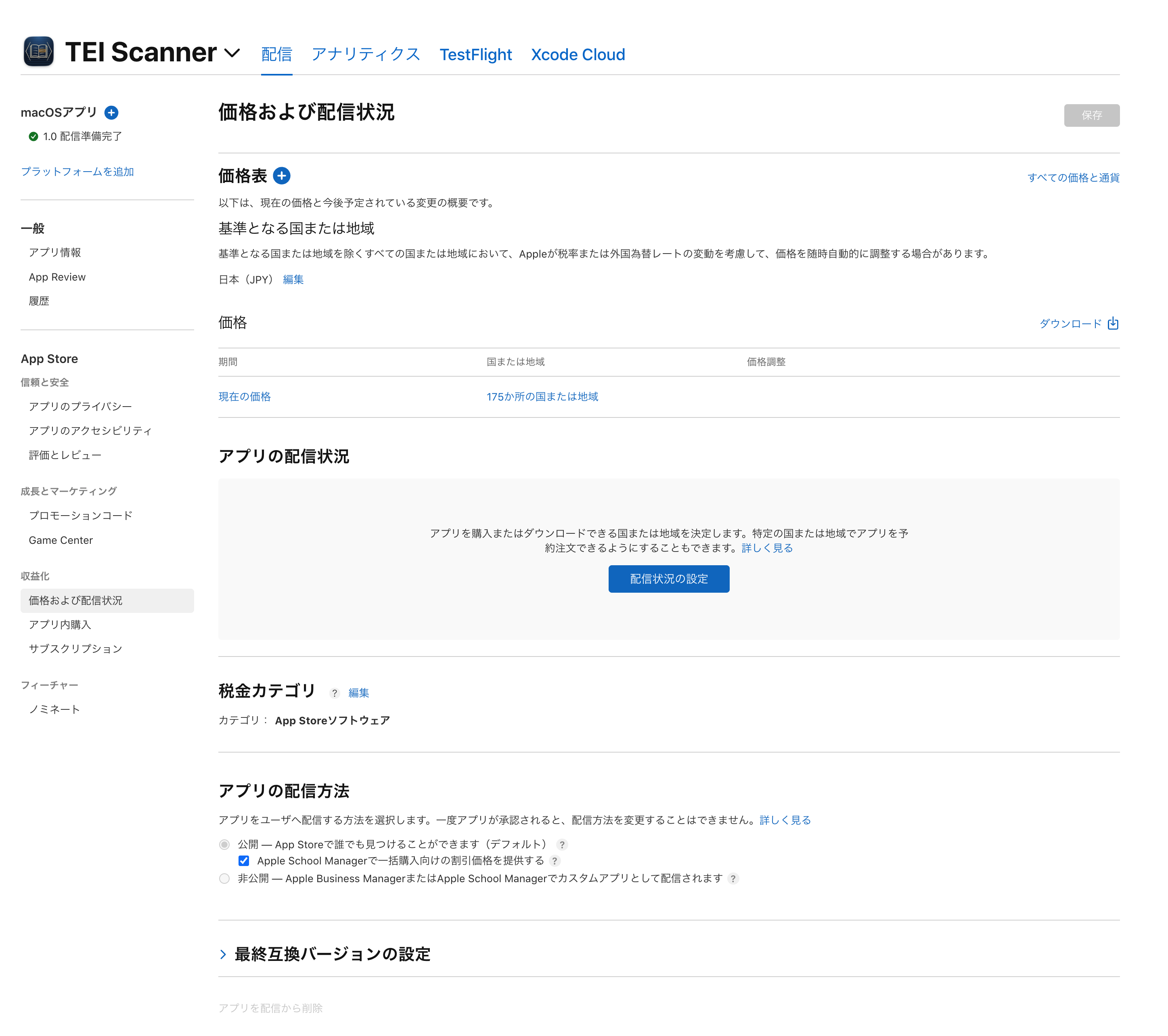 | 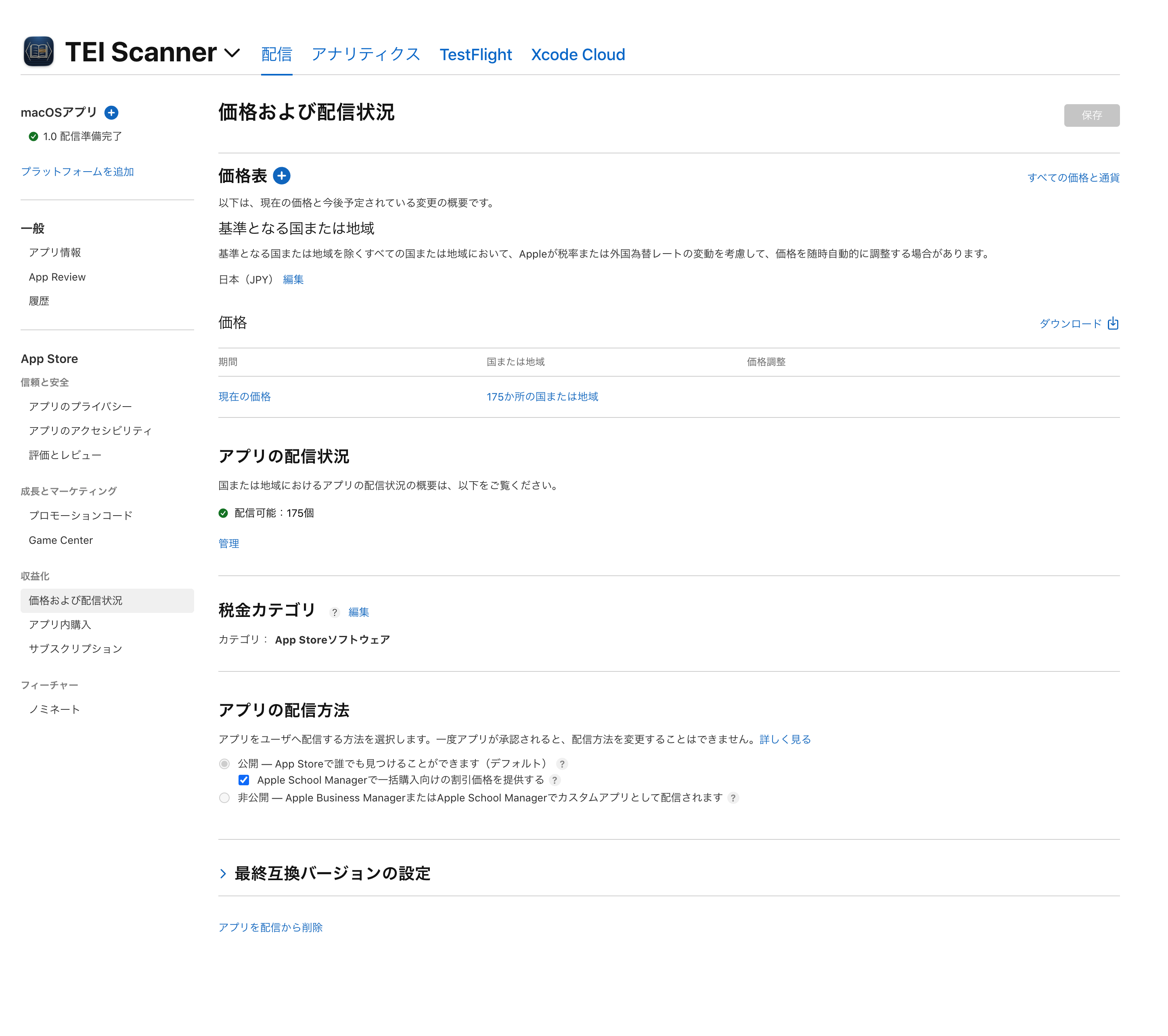 |
Before, the "App Availability" section had only a "Set Up Availability" button — the zero availability surfacing directly as a blank. After appAvailabilities is created, it shows "Available: 175."
The warning at the top of the version 1.0 page disappears too.
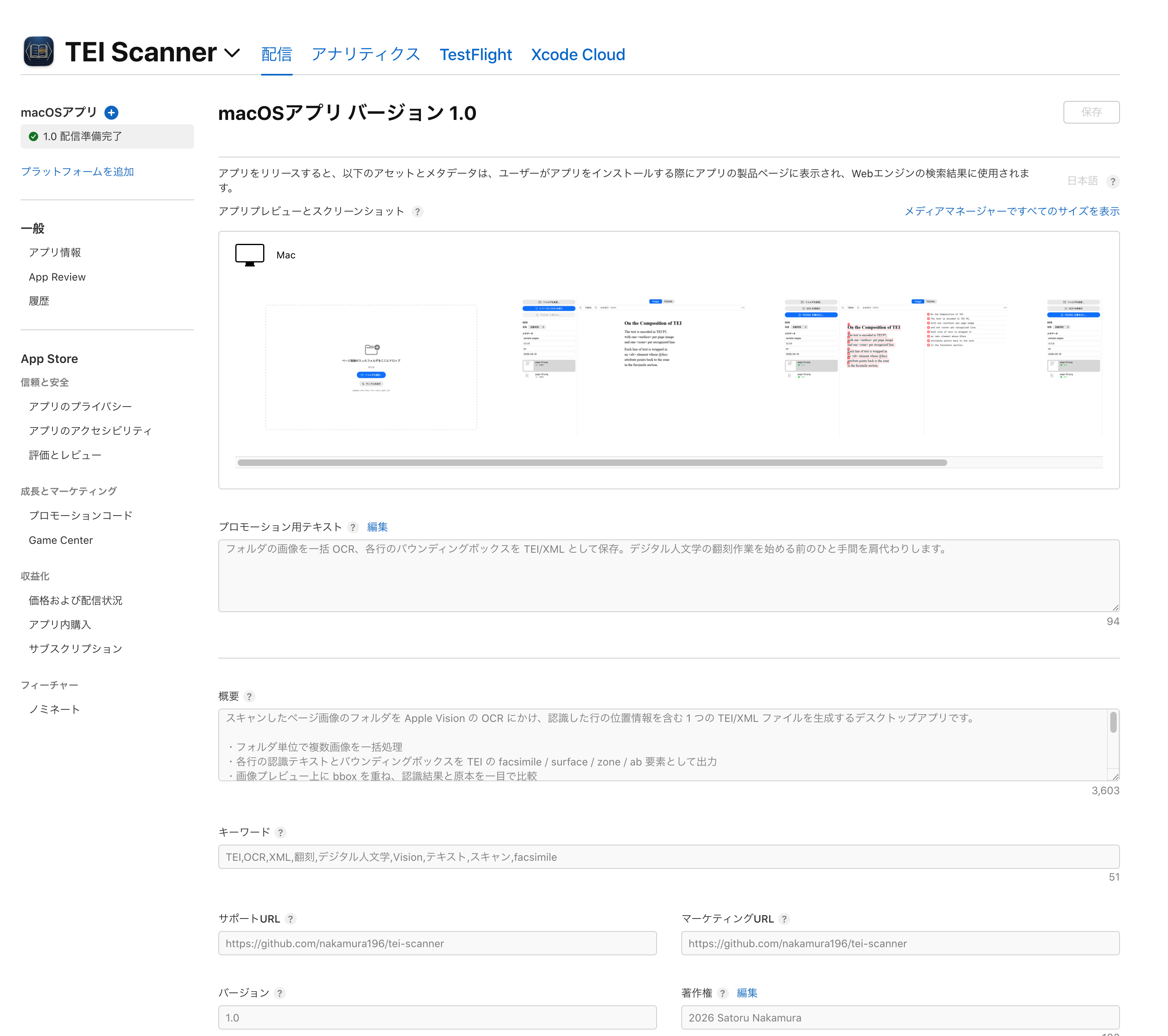
Note that what's reflected here is the data on App Store Connect. It can take time for Apple to propagate the change before the app actually appears in the public store catalog.
Summary
- Before an app reaches users on the App Store, there are three independent axes: review status, release timing (
releaseType), and App Availability. Because availability is not part of the review submission, you can pass review with it left at zero. - When you build the submission flow API-first, availability is never set unless you explicitly call
appAvailabilities. There is no forced territory selection like there is when creating an app in the web UI. - To diagnose the symptom, use
GET apps/{id}/appAvailabilityV2.NOT_FOUNDmeans not set;PATH_ERRORmeans a misspelled path — the two are distinguishable. - Creating availability is
/v2/appAvailabilities. Mind the asymmetry: reading (theappAvailabilityV2relationship) is available from v1, but creation is v2. - For inline creation with
included, make eachida${local-id}placeholder. The real code goes on therelationships.territoryside.
In the previous post I wrote that I "managed" to get the app through review — but the app only became something users could actually find on the App Store after I set availability after the fact. This was a case of running headlong into the fact that "review passed" does not equal "published."

Comments
…